Mac mini vs x86 mini PC for local AI: which platform fits you
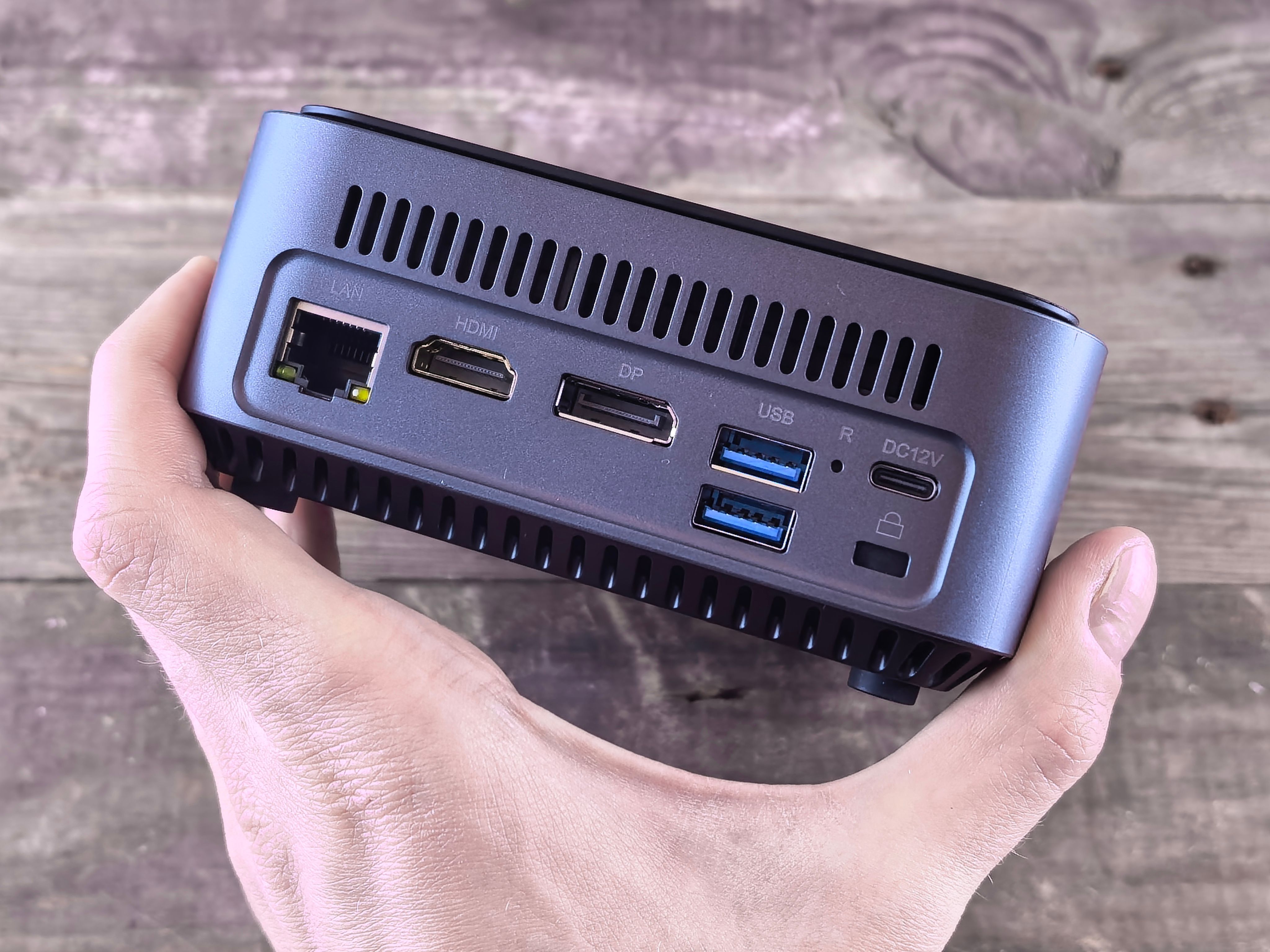
A 70B-parameter model at 4-bit quantization needs roughly 40GB of memory before you add any context window. That single number rules the 16GB Mac mini out and the 128GB Strix Halo boxes in. This guide sorts Apple silicon and x86 mini PCs by what you can actually run, how fast it generates, and what it costs to leave on all year.
If you only read one section, read this one. Picking hardware for a local LLM comes down to two numbers: how much unified memory the machine has and how much memory bandwidth feeds it. The chip brand on the box matters far less than those two figures and the software stack you plan to use.
Rule one: size the memory to the model, then add headroom
A model's footprint is roughly its parameters × bits per weight, which is how a 70B model at 4-bit (Q4_K_M) lands at the ~40GB figure above. On top of the weights come the KV cache for your context window, the operating system and anything else running on the box. That is why a 16GB Apple Mac mini (M4, 16GB) handles 8B-class models comfortably and stops there, a 64GB machine like the Apple Mac mini (M4 Pro, 64GB) is the sweet spot for 30B-class models, and 70B models or large mixture-of-experts models realistically call for 128GB. If a model doesn't fit, no amount of compute will help. It either refuses to load or spills into swap and becomes unusable.
Rule two: bandwidth decides whether it feels fast
Once a model fits, generation speed tracks memory bandwidth almost linearly. A useful mental model is that tok/s ≈ bandwidth ÷ size of the active weights. So doubling the model size on the same machine roughly halves the output speed. This is why a high-bandwidth Apple Mac Studio (M3 Ultra) or Apple Mac Studio (M4 Max) answers a 70B prompt noticeably faster than a cheaper machine with the same capacity. It also explains why mixture-of-experts models, which touch only a fraction of their parameters per token, punch above their size on bandwidth-limited hardware. The exact GB/s figures and how prompt processing differs are covered further down.
Rule three: pick the platform by how you'll live with it
| If your priority is… | Lean toward | The trade-off you accept |
|---|---|---|
| Silent, low-idle-power assistant on a desk or shelf | Apple Mac mini (M4 Pro, 64GB) or Apple Mac Studio (M4 Max) | No memory upgrades, no eGPU, 128GB+ gets expensive |
| Most memory per dollar, Linux, room to tinker | Minisforum MS-S1 Max or GMKtec EVO-X2 | Rougher software path (Vulkan/ROCm), more fan noise under load |
| CUDA, fine-tuning, vLLM and PyTorch workflows | NVIDIA DGX Spark or Acer Veriton GN100 | Highest price, overkill for chat-only use |
Apple wins on setup. Ollama, LM Studio and MLX run with almost no configuration, and a Mac mini idling all day barely registers on a power bill. The catch is permanence: whatever memory you order is what you have for the life of the machine.
Strix Halo is the value play for anyone whose target is 70B. Of the two, the MS-S1 Max is the cheaper route to 128GB of unified memory. Both give you M.2 slots and a standard x86 Linux install, which suits privacy-focused users who want an always-on box they fully control.
GB10 machines buy you NVIDIA's software ecosystem in a small form factor. That is worth the premium if your day job is CUDA code. It isn't worth it if you just want a private assistant.
Decide the largest model you want to run, buy enough memory to hold it with headroom, then choose the fastest bandwidth and the software stack you can afford within that tier.
Every contender at a glance
| Product | Rating | Price | Buy |
|---|---|---|---|
 Apple Mac Studio (M3 Ultra) Up to 512GB of unified memory for very large local LLMs on one desk +512GB memory fits huge quantized models+80-core GPU speeds token generation -No CUDA: some AI tools unsupported | Buy → | ||
 Apple Mac mini (M4 Pro, 64GB) 64GB unified memory for 70B-class local models in a desk-sized box +64GB shared memory fits 70B-class quants+Small chassis runs quietly on a desk -No CUDA, so fewer fine-tuning tools | Buy → | ||
| Apple Mac Studio (M4 Max) Up to 128GB unified memory in a 7.7-inch box for large local models +128GB unified memory loads large models+7.7-inch square fits under monitors -No CUDA: some AI tools unsupported | $3,399.00 | Buy → | |
 GMKtec EVO-X2 (Ryzen AI Max+ 395, 128GB) 128GB unified memory to run 70B-class models locally +128GB shared memory: fits 70B models+120W mode for long inference runs -Soldered memory: cannot upgrade beyond 128GB | $3,499.99 | Buy → | |
 Minisforum MS-S1 Max Best Value Ryzen AI Max+ 395 mini PC with dual 10GbE and a PCIe x16 slot for LLM clusters +64GB shared memory sidesteps VRAM limits+Dual 10GbE for multi-unit clustering -235B Q4 needs two units | $2,599.00 | Buy → | |
 NVIDIA DGX Spark 128GB unified memory and a 4TB SSD for running large open-weight LLMs on your desk +128GB memory: larger models fit+4TB SSD stores many models -Upgrade voids NVIDIA's original warranty | $8,699.99 | Buy → |
Prices as of Nov 16, 2026; they may have changed since.
How the memory architectures differ
All three platforms run the same open-weight models, but each one feeds the model's weights to the processor in a different way. When generating each token, the model has to read most of its active weights from memory. Memory bandwidth therefore sets a hard ceiling on tok/s, and the size of the memory pool the GPU can actually address sets which models load at all.
- 120 GB/sApple M4 (Mac mini M4, 16GB). This is the floor for comfortable 7B–8B inference.
- 273 GB/sApple M4 Pro (Mac mini M4 Pro, 64GB) and NVIDIA DGX Spark. Both have the same published figure.
- 256 GB/sStrix Halo (GMKtec EVO-X2, Minisforum MS-S1 Max). This is roughly M4 Pro speed, with twice the capacity.
- Up to 546 GB/sApple M4 Max (Mac Studio M4 Max). This is about 2× Strix Halo.
- 819 GB/sApple M3 Ultra (Mac Studio M3 Ultra). It is the fastest unified memory in this comparison.
Apple silicon: one pool, no partitioning
On Apple silicon, unified memory is a single pool of LPDDR5X that sits on the chip package. The CPU, GPU and Neural Engine all address it directly, so a 40GB model never has to be copied anywhere. macOS reserves some memory for the system and lets the GPU use the rest, and you don't configure that split by hand. The trade-off is that capacity is fixed when you buy. A Mac mini (M4 Pro, 64GB) will always be a 64GB machine. Bandwidth also scales with the chip tier rather than the amount of RAM: going from M4 to M3 Ultra raises it from 120 to 819 GB/s, which is nearly 7× for the same model.
Strix Halo: shared, but with a BIOS-set split
The Ryzen AI Max+ 395 in the GMKtec EVO-X2 and Minisforum MS-S1 Max also uses one LPDDR5X pool shared by the CPU and the Radeon iGPU. Unlike a Mac, the amount the GPU can claim is set in BIOS and the driver. Under Windows the GPU allocation tops out at 96GB of the 128GB. Linux lets the iGPU map considerably more of the pool, which is why most 70B and large mixture-of-experts setups on these boxes run Linux.
The ceiling is 256 GB/s, close to the DGX Spark's 273 GB/s and just behind an M4 Pro. Strix Halo's advantage over those is capacity per dollar, not speed: it holds a dense 70B model that a 64GB M4 Pro barely fits, but generates it at only single-digit tok/s. The prompt-processing section below works through that math against the M3 Ultra.
Discrete GPU or eGPU: fast, but only inside the VRAM
A desktop GPU attached over OCuLink keeps its own dedicated GDDR memory. On current mid-to-high-end cards that memory runs at several hundred to over 1,000 GB/s, well beyond any unified-memory design here. The catch is the boundary. Everything the model needs must fit inside the card's VRAM, which is typically 16–32GB on consumer GPUs.
Once layers spill over, they are either processed by the CPU from system RAM or streamed across the link. OCuLink is a PCIe 4.0 x4 connection worth roughly 8 GB/s, so offloaded layers become the bottleneck. Generation speed can fall from dozens of tok/s to single digits as soon as a model outgrows VRAM.
| Architecture | Example in this guide | Who allocates GPU memory | Capacity ceiling | Main constraint |
|---|---|---|---|---|
| Unified memory (Apple silicon) | Mac mini, Mac Studio | macOS, automatically | Fixed at purchase | Upgrade means buying a new machine |
| Shared iGPU memory (Strix Halo) | GMKtec EVO-X2, Minisforum MS-S1 Max | BIOS/driver setting | 96GB on Windows, more on Linux | 256 GB/s limits large dense models |
| Unified memory (GB10) | NVIDIA DGX Spark, Acer Veriton GN100 | Driver, automatically | 128GB | 273 GB/s, same as M4 Pro |
| Discrete or eGPU VRAM | Strix Halo box + OCuLink GPU | Fixed by the card | Card's VRAM only | Spillover to system RAM collapses speed |
A model that fits entirely in fast memory beats a model split across fast and slow memory. An eGPU makes a 128GB Strix Halo box very quick for models under about 24GB, but it does nothing for a 70B model that has to stay in the 256 GB/s shared pool. If your target model is larger than any consumer GPU's VRAM, compare unified-memory bandwidth figures, not GPU spec sheets.
Software ecosystem: MLX and Metal versus ROCm, Vulkan and CUDA
Hardware sets the ceiling, and software decides how much of it you can actually use. The three platforms in this comparison sit at very different points on the setup-effort curve. Apple silicon is the closest to plug-and-play. Strix Halo is capable but rewards anyone comfortable digging through GitHub issues. GB10 and eGPU builds get the toolchain most AI software is written for first.
macOS: Metal and MLX, ready on day one
On a Mac mini (M4 Pro, 64GB) or Mac Studio (M4 Max), the main local LLM tools run natively with no driver installs:
- llama.cpp uses its Metal backend by default.
- Ollama installs as a normal app and pulls quantized models (Q4_K_M and similar) in one command.
- LM Studio offers both llama.cpp (GGUF) and Apple's MLX engine, so you can switch formats from the same interface.
MLX is Apple's own array framework, built around unified memory. MLX-format models on Hugging Face are often published soon after a popular open-weight release, and mlx-lm also handles LoRA fine-tuning on the Mac itself. The limitation is reach. Anything written specifically for CUDA, such as vLLM's main serving path, many PyTorch training scripts and most research repositories, either runs on CPU, falls back to PyTorch's slower MPS backend, or does not run at all.
Strix Halo: Vulkan works now, ROCm is catching up
The GMKtec EVO-X2 and Minisforum MS-S1 Max run llama.cpp through two GPU backends:
- Vulkan is the low-friction choice. It works on Windows and Linux with standard AMD graphics drivers, and it is what LM Studio and many Ollama builds rely on for this iGPU.
- ROCm is AMD's CUDA counterpart and unlocks PyTorch. Support for the Strix Halo iGPU has improved noticeably but still trails NVIDIA. Expect version pinning, community-built containers and the occasional kernel parameter tweak to let the GPU address the full memory pool.
Fixes and new ROCm releases reach Linux first, so treat Windows as the convenient option for chat front-ends and Linux as the place for serious work. A Strix Halo box running Ubuntu or Fedora with a recent kernel is in a much better position than the same machine on Windows.
GB10 and eGPU: the CUDA advantage
The NVIDIA DGX Spark and Acer Veriton GN100 share the GB10 chip and ship with NVIDIA's Ubuntu-based DGX OS and the full CUDA stack. That matters if your workflow includes vLLM or SGLang serving, Hugging Face training scripts, bitsandbytes or nearly any paper's reference code, all of which assume CUDA. One caveat: GB10 pairs the GPU with an Arm CPU, so the occasional Python package without aarch64 wheels has to be built from source. An x86 Strix Halo box with an NVIDIA card attached externally avoids that issue, but only for models that fit in the card's own VRAM.
| Capability | macOS (Mac mini, Mac Studio) | Strix Halo (EVO-X2, MS-S1 Max) | GB10 (DGX Spark, Veriton GN100) |
|---|---|---|---|
| llama.cpp backend | Metal, default | Vulkan or ROCm | CUDA |
| Ollama / LM Studio | Native, minimal setup | Works; Vulkan is the easy path | Works natively |
| Apple-native format | MLX | Not available | Not available |
| PyTorch GPU support | MPS backend, partial op coverage | ROCm, improving | Full CUDA |
| vLLM and research code | Limited | Partial, often needs patches | First-class |
| GPU inside Docker | No Metal passthrough | Yes, via device passthrough on Linux | Yes, NVIDIA Container Toolkit |
| Alternative OS options | macOS only | Windows, Linux, dual-boot, Proxmox | DGX OS (Ubuntu-based) |
Containers, hypervisors and dual-booting
This difference often settles the choice for homelab users. Docker on macOS runs inside a Linux VM with no access to the Metal GPU, so a containerized Ollama or Open WebUI stack on a Mac falls back to CPU inference. The usual workaround is to run Ollama natively and keep only the front-end in a container.
The x86 Strix Halo machines are far more flexible. You can dual-boot Windows and Linux, install Proxmox and pass the GPU through to an LXC container or VM, or run ROCm-enabled Docker images alongside other home-server workloads. GB10 systems handle GPU containers well but are tied to NVIDIA's own OS image.
Matching software to your workflow
If your use is chatting with GGUF or MLX models through Ollama or LM Studio, a Mac gives you the least setup. If you want the same box to host containers or VMs, or to switch between Windows and Linux, choose Strix Halo. If your projects come from GitHub repositories that start with import torch and expect CUDA, choose GB10 and skip the workarounds.
Prompt processing versus token generation
Every local LLM request runs in two phases with different bottlenecks, and the platforms in this comparison rank differently on each. Community llama.cpp results report them separately. In llama-bench output, pp (for example pp512) measures prompt processing and tg (for example tg128) measures token generation. A machine that leads one column can trail on the other.
| Phase | What happens | Bottleneck | What you feel | Who leads |
|---|---|---|---|---|
| Prompt processing (prefill) | The whole prompt is processed in parallel batches | GPU compute (matrix throughput) | Time to first token (TTFT) | NVIDIA DGX Spark, Acer Veriton GN100 (GB10) |
| Token generation | One token at a time, reading the active weights for each token | Memory bandwidth (GB/s) | Tokens per second (tok/s) while the answer streams | Apple Mac Studio (M3 Ultra), Apple Mac Studio (M4 Max) |
Generation: bandwidth sets the ceiling
For a dense model, every generated token requires reading nearly all of the weights from memory. Divide memory bandwidth by the model's size in memory and you get a hard upper limit on tok/s. A 70B model at Q4_K_M takes roughly 40GB:
- M3 Ultra (819 GB/s): a theoretical ceiling of about 20 tok/s.
- Strix Halo or GB10 (about 256–273 GB/s): a ceiling of about 6–7 tok/s.
Real results in community llama.cpp threads land below these ceilings, but the ranking holds. The Apple Mac Studio (M3 Ultra) and Apple Mac Studio (M4 Max, up to 546 GB/s) post the highest generation numbers on dense 30B–70B models. The Apple Mac mini (M4 Pro, 64GB), at 273 GB/s, sits close to the 128GB x86 boxes on per-token speed, but it has half their capacity.
Prefill: where Apple silicon falls behind
Prompt processing is parallel matrix math, so raw GPU compute decides it. Apple's GPUs have far less compute relative to their bandwidth than NVIDIA's Blackwell-based GB10. In published llama-bench results, the DGX Spark's pp figures are a multiple of what similarly priced Macs reach on the same model. Strix Halo's iGPU usually lands between the two, and its results shift noticeably between Vulkan and ROCm builds.
For short chat turns the gap barely shows. It matters for long inputs. Pasting a 30-page contract, feeding a RAG pipeline thousands of retrieved tokens, or running a coding agent that resends a large repository context on every call all add prefill time. On a Mac, that means a noticeable wait before the first word appears, growing with prompt length and model size, even though the answer then streams quickly. If your workload is mostly reading long material and returning short answers, prefill speed matters more than tok/s.
Pro tip
When you read community benchmark posts, check that pp and tg come from the same model, quantization and context length before comparing machines. Then weight them by your own usage. Chat and creative writing depend mostly on tg. Document Q&A, RAG and agentic coding depend heavily on pp. Prompt caching in llama.cpp and LM Studio helps in multi-turn chats because an unchanged prefix isn't processed again.
Mixture-of-experts changes the math for 128GB boxes
Mixture-of-experts (MoE) models store many parameters but activate only a small fraction per token. Two common examples:
- gpt-oss-120b has about 5B active parameters out of roughly 117B.
- Qwen3-30B-A3B activates about 3B parameters.
Generation speed tracks the active weights, while memory capacity has to hold the total. That combination suits the Minisforum MS-S1 Max ($2,599.00), the GMKtec EVO-X2 ($3,499.99), the NVIDIA DGX Spark and the Acer Veriton GN100. Their 128GB holds a 100B-plus MoE model whole, and because each token reads only a few gigabytes, their moderate 256–273 GB/s bandwidth still produces comfortably interactive tok/s. Community llama.cpp results put large MoE models on these machines well ahead of a dense 70B on the same hardware.
So a 128GB Strix Halo box that feels slow on dense Llama-class 70B models becomes a strong fit once you switch to MoE models. The GB10 machines add stronger prefill on top, which helps when MoE models are given long contexts. If the models you care about are mostly MoE, bandwidth matters less and capacity per dollar matters more.
Used M1 or M2 versus current models, and total cost of ownership
Older Apple silicon is worth considering, but only in the right tier. Memory bandwidth on the high-end chips has barely moved in four years, and the entry-level chips were never big enough to run large models.
Base M1 and M2 Mac minis: too small to matter for large models
The base M1 Mac mini (68 GB/s) tops out at 16GB, and the base M2 (100 GB/s) at 24GB. After macOS takes its share and you reserve room for a context window, that limits you to 8B models comfortably and 14B models at a squeeze at Q4_K_M. These chips also have less bandwidth than the current Apple Mac mini (M4, 16GB) at 120 GB/s. A cheap used one works as a Whisper box or a small-model sandbox, but you can't upgrade the memory later. You'll be shopping again once you want a 30B-class model.
Used Max and Ultra Mac Studios: the bandwidth still holds up
The higher-end used machines are a different story. An M1 Max or M2 Max Mac Studio runs at 400 GB/s, and the M1 Ultra and M2 Ultra at 800 GB/s. That beats every Strix Halo and GB10 box in this comparison, and it is still the main factor in tokens per second. Configurations with 64GB or more load 30B–70B models at 4-bit and generate quickly.
| Used configuration | Memory bandwidth | Max unified memory | Realistic model ceiling (Q4) |
|---|---|---|---|
| M1 Max Mac Studio | 400 GB/s | 64GB | 30B–34B dense, mid-size MoE |
| M2 Max Mac Studio | 400 GB/s | 96GB | 70B with a modest context window |
| M1 Ultra Mac Studio | 800 GB/s | 128GB | 70B plus long context |
| M2 Ultra Mac Studio | 800 GB/s | 192GB | Large MoE models beyond 128GB |
The weak spot is prompt processing. Older GPU cores are slower at prefill than an M4 Max, so time to first token on long documents gets worse. They will also drop off Apple's macOS support list sooner than current models. If your typical use is short chats with a 70B model, a used Ultra is a strong buy. If you regularly paste in 30,000-token codebases, it will feel slow before it answers.
Pros
- M1/M2 Ultra keeps 800 GB/s, roughly three times the 256 GB/s of the 128GB Strix Halo mini PCs
- Max and Ultra chips with 64GB+ handle 70B-class models
- Same near-silent operation and low idle draw as new Macs, with mature MLX and Metal support
Cons
- Base M1/M2 Mac minis cap at 16GB/24GB, enough only for 8B–14B models
- Slower prompt processing than M4-generation chips, so long prompts take longer to start
- No warranty on most used units, a shorter macOS support runway, and memory fixed forever
Cost per GB of usable memory
For new hardware at 128GB, the x86 boxes are clearly cheaper. The Minisforum MS-S1 Max at $2,599.00 works out to about $20 per GB, and the GMKtec EVO-X2 at $3,499.99 to about $27 per GB. Both are a little less in practice because you set aside part of the pool for the CPU and OS. For example, a 96GB GPU allocation on the MS-S1 Max puts usable memory at roughly $27/GB.
The GB10 machines carry a CUDA premium. The Acer Veriton GN100 ($6,699.99) is about $51 per GB and the NVIDIA DGX Spark ($8,699.99) about $68 per GB for the same 128GB. That premium makes sense if you need CUDA, fine-tuning or vLLM. It doesn't if you only want to load a 70B model.
Where the Mac money actually goes
On a Mac, the chip is not the main cost. Apple's memory and SSD upgrade pricing is, and you pay it once at checkout because neither can be upgraded later. The Apple Mac Studio (M4 Max) starts at $3,399.00. Configuring one with 128GB of unified memory and a usable SSD puts it well above both Strix Halo boxes. That premium buys roughly double their bandwidth, plus silence and polish, but not more capacity. The Apple Mac Studio (M3 Ultra) goes further on both capacity and price.
Storage widens the gap over the life of the machine. Strix Halo mini PCs take standard M.2 drives, so a model library that grows from 1TB to 4TB costs off-the-shelf SSD prices. On a Mac you either pay Apple's rate at purchase or use an external drive. Over three years of 24/7 use, the Mac's low idle power (covered in the next section) offsets some of that cost, but nowhere near the difference in upfront memory pricing.
The bottom line on value:
- If you need 128GB on a budget, the Minisforum MS-S1 Max offers the lowest cost per GB.
- If you need 128GB and generation speed matters more than prefill, a used M1/M2 Ultra Mac Studio delivers 800 GB/s for less than a new Ultra.
- If you want a new Mac for 30B-class models, the Apple Mac mini (M4 Pro, 64GB) avoids the steepest top-tier upgrade pricing.
- Skip used base M1/M2 Mac minis for local LLMs unless 8B models are all you plan to run.
Running 24/7: power, noise, expansion and extra workloads
A local AI box rarely runs one model in a burst and then sleeps. It usually stays on as a household or team server, idling most of the day and spiking when someone sends a prompt, transcribes a meeting or queues an image. That makes idle draw, noise under load and room to grow as important as peak tok/s.
The Mac mini is the easiest machine to forget is running. Both the Mac mini (M4, 16GB) and the Mac mini (M4 Pro, 64GB) idle in the low single-digit watts and are near-silent at light loads, so they can sit on a desk or bookshelf. The Mac Studio (M4 Max) and Mac Studio (M3 Ultra) have larger coolers and stay quiet through most inference work.
Strix Halo trades that calm for sustained throughput. The GMKtec EVO-X2 and Minisforum MS-S1 Max can be configured to hold well over 100W on the APU, and that heat needs active cooling with audible fans during long generations or batch jobs. Most of these boxes let you choose a lower power mode in the BIOS or vendor software. A lower limit cuts noise and heat, but prompt processing gets slower. The GB10 machines, the NVIDIA DGX Spark and Acer Veriton GN100, also depend on active cooling. In a shared office or bedroom, plan to put them somewhere their fans won't bother anyone.
- Mac mini / Mac Studio — Lowest idle power, near-silent at light load, nothing to configure for always-on use.
- Strix Halo mini PCs — Sustained 100W+ modes are available. They need active cooling, and fan noise rises under load.
- GB10 (DGX Spark, Veriton GN100) — Full CUDA stack in a compact chassis. Actively cooled, built to run hard for long periods.
- Expansion on x86 — Extra M.2 slots, USB4, and OCuLink on some models for adding an eGPU later.
- Expansion on Mac — External storage over Thunderbolt only. Memory is fixed at purchase, and eGPUs are not supported.
Upgrade paths: what can change after you buy
On either platform, memory is soldered. Strix Halo's LPDDR5X sits beside the APU, just as unified memory does on Apple silicon. The capacity you order is the capacity you keep, so the "buy for the largest model you want to run" rule from earlier sections applies to both.
Storage and I/O are where the x86 boxes pull ahead. The mini PCs typically offer multiple M.2 slots, so you can add a second NVMe drive for a model library or ComfyUI checkpoints without relying on external enclosures. They also have USB4. OCuLink appears on some models and gives an eGPU a direct PCIe link. On the Macs, storage upgrades mean Thunderbolt external drives, and compute upgrades mean buying a new Mac.
Extra workloads: ComfyUI, Whisper and a stack of services
Image generation is the workload where CUDA still matters most. ComfyUI and most of its custom nodes are developed and tuned first on NVIDIA hardware. On the DGX Spark, the Veriton GN100, or a Strix Halo box with an NVIDIA eGPU over OCuLink, new workflows generally run as written. ComfyUI also runs on Apple silicon through PyTorch's Metal backend and on Strix Halo through ROCm. However, some nodes don't support those backends, and diffusion is compute-heavy, which is where Apple silicon falls behind NVIDIA.
Speech-to-text runs well on all of these machines. Whisper is light compared with an LLM. whisper.cpp runs efficiently on Metal, so even the Mac mini (M4, 16GB) handles transcription comfortably. The x86 boxes run it through Vulkan, ROCm or CUDA without trouble.
Running all three workloads at once is mostly a memory-capacity question. Each model you keep loaded holds its own share of unified memory, on top of the KV cache for its context window and the OS:
| Workload kept resident | Approximate memory footprint |
|---|---|
| 70B LLM at Q4_K_M | ~40GB plus context |
| 30B-class LLM at Q4_K_M | ~18–20GB plus context |
| Whisper large-class model | A few GB |
| Diffusion model (SDXL / Flux-class) | Roughly 7GB to well over 12GB, depending on model and precision |
| Supporting services (web UI, vector DB, containers) | A few GB |
The 128GB machines can keep a 70B model, Whisper and an image model loaded at once with room to spare. That covers the MS-S1 Max, EVO-X2, DGX Spark and Veriton GN100, plus a Mac Studio configured to 128GB or more. The Mac mini (M4 Pro, 64GB) fits a 30B-class LLM alongside Whisper and a mid-sized image model. It runs out of room if you also want a 70B model or long contexts, because macOS also reserves part of the pool for the system. The 16GB Mac mini is effectively limited to one model loaded at a time.
Always-on rule of thumb
Add up everything you want loaded at the same time and leave a margin for context windows. If the total goes past about two-thirds of your unified memory, move up a tier. Choosing too little memory is the one decision you can't fix later on any of these machines.
Decision guide: which platform fits you
Start with the largest model you actually want to run, then pick the cheapest box with enough unified memory for it and enough memory bandwidth to make it usable. The profiles below cover most buyers. If you sit between two, size up on memory, because a model that doesn't fit won't run at all, while a slower box still answers.
| If your priority is… | Largest practical model | Platform to shortlist |
|---|---|---|
| Silent, zero-setup daily assistant | 30B-class at 4-bit | Apple Mac mini (M4 Pro, 64GB) |
| Most memory per dollar on Linux | 70B dense or large MoE | Minisforum MS-S1 Max, GMKtec EVO-X2 |
| CUDA, fine-tuning, vLLM serving | 70B-class plus training jobs | NVIDIA DGX Spark, Acer Veriton GN100 |
| Fastest tok/s on big dense models | 70B+ dense | Apple Mac Studio (M3 Ultra), Apple Mac Studio (M4 Max) |
The quiet, no-tinkering assistant
Choose the Apple Mac mini (M4 Pro, 64GB). Its 273 GB/s of bandwidth roughly doubles the base M4's 120 GB/s. With 64GB, a 30B-class model at Q4_K_M loads with headroom left for a long context window and macOS itself. Ollama, LM Studio and MLX run out of the box, and the machine idles in low single-digit watts, so leaving it on all day costs very little. The trade-off is that you can't upgrade it later. Buy 64GB now if you think you'll want more than 7B–8B models, because the Apple Mac mini (M4, 16GB) is only an entry point for experimenting.
128GB on a budget, Linux-first
Choose the Minisforum MS-S1 Max ($2,599.00) or the GMKtec EVO-X2 ($3,499.99). Both use Strix Halo with 128GB of LPDDR5X. That's enough to load a 70B model at 4-bit, or a large mixture-of-experts model whose small active parameter count keeps tok/s reasonable on roughly 256 GB/s.
- Minisforum MS-S1 Max: about $900 cheaper for the same 128GB pool, which makes it the value default.
- GMKtec EVO-X2: the same platform. Pick it only if its price drops or its port layout suits your desk better.
Expect to spend time on llama.cpp builds and on choosing between Vulkan and ROCm. That setup work is the price of the lower cost.
CUDA-dependent work
Choose the NVIDIA DGX Spark ($8,699.99) or the Acer Veriton GN100 ($6,699.99). Both are GB10 systems with 128GB of unified memory, but the reason to buy them is the software, not the hardware. vLLM, PyTorch fine-tuning scripts, LoRA tooling and most research repos assume CUDA, and here they run without workarounds. Prompt processing is also strong, which helps RAG pipelines and long-document work where time to first token matters more than tok/s. The Acer costs $2,200 less for the same chip. That makes it the sensible choice unless you specifically want NVIDIA's own chassis.
Speed on large dense models
Choose the Apple Mac Studio (M3 Ultra) or the Apple Mac Studio (M4 Max) ($3,399.00). Token generation scales with bandwidth.
- M3 Ultra: 819 GB/s, about three times a Strix Halo box. It is the configuration for 70B+ dense models where you read the output as it streams.
- M4 Max: up to 546 GB/s, still about twice a Strix Halo box. It suits 30B–70B work at lower cost.
On both, long prompts are slower to prefill than on GB10, so they're better suited to chat than to batch document processing.
Good for
- Mac mini (M4 Pro, 64GB): a writer or developer who wants a 30B-class assistant running 24/7 with no fan noise and no driver work
- Minisforum MS-S1 Max / GMKtec EVO-X2: Linux users who want to run 70B or large MoE models at the lowest cost per GB of memory
- DGX Spark / Veriton GN100: ML engineers fine-tuning models, serving with vLLM, or running CUDA-only research code
- Mac Studio (M3 Ultra / M4 Max): users who prioritize tok/s on large dense models over price
Not for
- Mac mini (M4, 16GB): anyone planning to go beyond 7B–8B models
- Strix Halo boxes: buyers who want a plug-and-play experience with no time spent on ROCm or Vulkan setup
- GB10 systems: people who only chat with models and never touch CUDA tooling, since the premium buys software compatibility, not faster generation
- Mac Studio: anyone who needs eGPU expansion or upgradeable memory
Still between two sizes?
Go back to the memory-footprint table in the 24/7 section, add up every model you want loaded at once, and apply the two-thirds rule. If the total lands between tiers, take the larger one: a 64GB machine that is too small has no upgrade path, while the extra cost of 128GB on the Minisforum MS-S1 Max is the smallest step up in this comparison.
Remaining questions
These are the questions that come up most often once buyers have narrowed the choice to a platform. The theme is the same throughout: memory you buy on day one is the memory you live with, so plan around the largest model you expect to run.
Frequently asked questions
Is 16GB of unified memory enough for local LLMs?
Only for small models. The Apple Mac mini (M4, 16GB) handles 7B–8B models at Q4_K_M, where the weights take roughly 5GB. That leaves little room for a context window or other apps. macOS reserves part of the pool for the system and, by default, caps how much the GPU can wire. A browser, an IDE and an 8B model with a long context can push the machine into swap, and tokens per second drop sharply once that happens. Treat 16GB as a way to learn the tooling. It is not a platform for 14B-and-up models or long-document work.
How much of a Strix Halo machine's 128GB can the GPU actually use?
More than the BIOS figure suggests, depending on the OS. The GMKtec EVO-X2 and Minisforum MS-S1 Max let you reserve a fixed share for the iGPU in firmware, commonly up to 96GB. On Linux, llama.cpp can also draw on shared system memory beyond that reservation through the kernel's GTT settings, so well over 100GB is reachable for model weights. Leave headroom for the OS and the KV cache. Reserving the maximum on a box that also runs containers or a desktop invites out-of-memory crashes.
Can I add an eGPU to a Mac mini or Mac Studio later?
No. Apple silicon Macs do not support eGPUs, over Thunderbolt or anything else. Expansion on a Mac means buying more memory up front, because unified memory is soldered and fixed at purchase. That is why choosing between the Apple Mac mini (M4 Pro, 64GB) and a Mac Studio is effectively a choice of your model-size ceiling for the life of the machine. If you want an upgrade path, the x86 boxes are the only option here. Those with OCuLink or USB4 can take a discrete card later, though Strix Halo's own memory is soldered too.
macOS or Linux for a headless, always-on inference server?
Both work, with different friction points.
- macOS: Remote Login (SSH) and Ollama or LM Studio's server mode are easy to set up, and the "start up after power failure" option covers outages. The catch is unattended reboots: FileVault and macOS updates can leave the machine waiting at a login screen, and background services expect a logged-in user.
- Linux: systemd, Docker and headless operation are native, which suits the Strix Halo boxes and the DGX OS on the NVIDIA DGX Spark and Acer Veriton GN100. The catch on Strix Halo is driver maturity. A recent kernel and current ROCm or Vulkan builds matter more than they would on a Mac.
Is a 70B open-weight model practical on 64GB?
It is possible, but it is a compromise. The ~40GB of 70B weights fit on a 64GB Mac only after you raise macOS's default GPU memory limit, and the context window you can afford stays modest. Speed is the bigger issue. At 273 GB/s, the M4 Pro's theoretical ceiling is about 6–7 tok/s, and real output lands below that. This is usable for batch jobs and frustrating for chat. For 70B as a daily driver, 128GB on Strix Halo gives you room for longer context, and the Mac Studio (M4 Max) or Mac Studio (M3 Ultra) gives you the bandwidth for faster replies.
Do I need 128GB if I mostly run 30B-class models?
Usually not. A 30B-class model at 4-bit fits comfortably in 64GB, with space left for a generous context window. The extra 64GB only pays off if you plan to try 70B dense models, large mixture-of-experts models, or several models loaded at once. If you are unsure, the price gap tells you something. The Minisforum MS-S1 Max at $2,599.00 with 128GB already undercuts the Apple Mac Studio (M4 Max)'s $3,399.00 starting price. On the x86 side, then, 128GB is cheap insurance against outgrowing the machine.