How much memory you need for local AI models at home
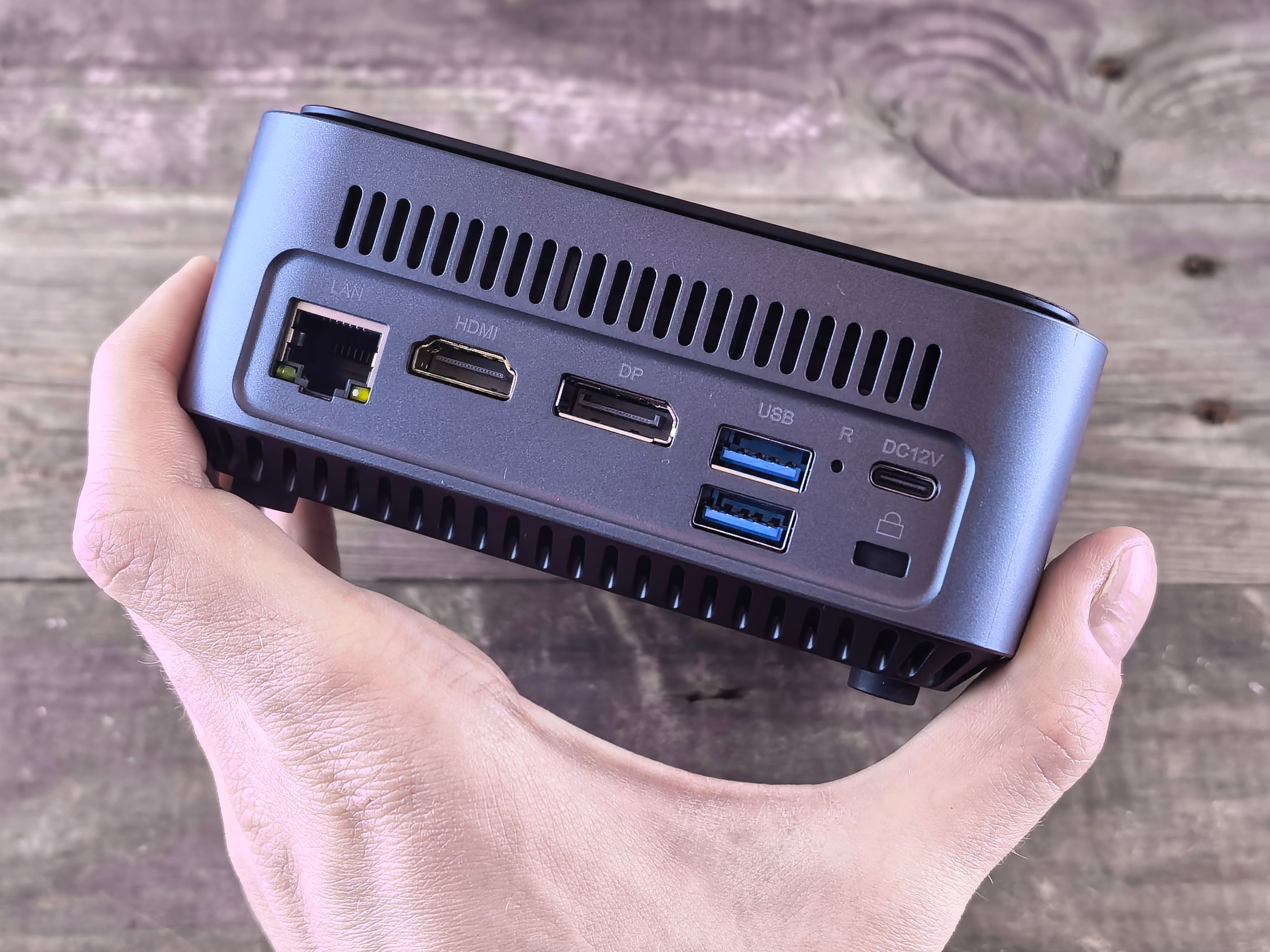
An 8B model at 4-bit fits in about 5 GB, but a 70B model needs roughly 40 GB before you add a single token of context. That gap, more than CPU or GPU speed, decides which local LLM you can run on a given machine and which hardware tier to buy.
Why memory sets the limit, and the rule of thumb
Local inference is mostly a memory problem. To generate each token, the model reads every weight it uses once. A 70B model therefore moves tens of gigabytes through the memory bus for every word it produces. When all of those weights sit in fast memory, such as the unified memory on Apple silicon or Strix Halo, or a discrete GPU's own memory, that read is quick. When the model doesn't fit and part of it spills into slower system RAM or onto disk, every token waits on the slowest tier, and output drops from conversational speed to a few words at a time.
That makes capacity a hard gate. A chip with twice the compute won't run a model it can't hold. Compute and memory bandwidth only decide how fast you go once the model fits. Settle the memory number first, then compare speed.
The formula you can apply to any model
Weight size depends on two numbers: how many parameters the model has and how many bits each one is stored in after quantization.
Parameters (billions) × bits per weight ÷ 8 = GB of weights
Q4_K_M, the usual home choice, averages roughly 4.5–5 effective bits per weight once its mixed-precision blocks are counted. So:
- 70B at Q4_K_M: 70 × ~4.5 ÷ 8 ≈ 39–40 GB
- 8B at Q4_K_M: ≈ 4.9 GB, which is the size of the downloaded file
The weights are only part of the total. Two more items sit on top:
- The KV cache. It grows with the context window you actually use. Short chats add little, while long documents or big codebases can add several gigabytes or more.
- Headroom for everything else. Budget 4–8 GB for the operating system, a browser with a few tabs open, and the inference runtime.
The Mac caveat: not all unified memory is GPU memory
On a Mac, macOS by default lets the GPU wire only about 65–75% of unified memory. The rest is reserved for the system. That changes the real ceiling:
- A Mac mini (M4, 16GB) gives the GPU roughly 10–12 GB.
- A Mac mini (M4 Pro, 64GB) gives it roughly 42–48 GB. A ~40 GB 70B model fits, but with little room left for the KV cache unless you raise the limit manually.
Strix Halo machines such as the GMKtec EVO-X2 and Minisforum MS-S1 Max handle this split through a BIOS and driver allocation instead. You still have to leave part of the pool for the OS.
The practical shortcut
If you don't want to add up the KV cache by hand, use this:
Total memory ≈ 1.3–1.5× the quantized file size gives comfortable use at moderate context, roughly 8–16K tokens.
| Model and quantization | Approx. weights | Comfortable total memory (1.3–1.5×) | Memory tier to buy |
|---|---|---|---|
| 8B at Q4_K_M | ~4.9 GB | ~6.5–7.5 GB | 16 GB |
| 32B at Q4_K_M | ~19–20 GB | ~25–30 GB | 32 GB |
| 70B at Q4_K_M | ~40 GB | ~52–60 GB | 64 GB |
The multiplier covers ordinary use. It doesn't cover maximum context: if you plan to load whole books or repositories at 64K–128K tokens, size for the KV cache explicitly.
These machines can't be upgraded, so run the formula against the largest model you expect to want in a few years, not the one you run today.
Quantization in plain words: Q4, Q5, Q8 and FP16
Quantization stores each of a model's weights with fewer bits. The model keeps the same parameter count, but each number is rounded to a coarser scale. Fewer bits per weight shrink the file and the memory footprint. They also reduce the bytes the chip must read for every generated token, so quantized models usually run faster too. The cost is a small loss of precision, measured as perplexity, which is how "surprised" the model is by real text. Higher perplexity means worse predictions.
The reference point is FP16: 16 bits, or 2 bytes, per weight. That is the precision most open-weight models are published in, and it is the quality baseline everything else is compared against. It is also expensive. An 8B model at FP16 needs about 16 GB for weights alone, which fills a Mac mini (M4, 16GB) before the operating system gets any memory.
The levels you'll actually see
The labels come from llama.cpp's GGUF format. "K" marks the newer block-wise schemes, and "_M" (medium) keeps a few sensitive layers at higher precision. Effective bits per weight run slightly above the headline number because each block also stores its own scaling factors.
| Level | Bits per weight | 8B model weights | Share of FP16 size | Quality cost | Where it fits |
|---|---|---|---|---|---|
| FP16 | 16 | ~16 GB | 100% | None (reference) | Benchmarks, fine-tuning, small models on big-memory machines |
| Q8_0 | ~8.5 | ~8.5 GB | ~53% | Near-indistinguishable from FP16 | When you have memory to spare and want zero doubt |
| Q5_K_M | ~5.5 | ~5.5 GB | ~34% | Very small perplexity increase | Quality-leaning home default |
| Q4_K_M | ~4.8 | ~4.8 GB | ~30% | Small perplexity increase | The standard home sweet spot |
| Q3 / Q2 | ~3–3.5 / ~2.5–3 | ~3–3.5 GB | ~20% | Noticeable degradation, worst on small models | Last resort to squeeze a model in |
Q8_0 is the "no regrets" option. It needs roughly half the memory of FP16, and in practice you won't notice the difference. Q5_K_M and Q4_K_M are where most people should land. Q4_K_M cuts the FP16 footprint by about 70% with only a small rise in perplexity. That is why the memory formula in this guide assumes Q4_K_M as the baseline.
Below 4 bits, quality drops faster. Q3 and Q2 noticeably hurt 7–14B models: you get more factual slips, weaker instruction-following, and code that breaks in subtle ways. Very large models tolerate aggressive quantization better because they have more redundancy to lose.
Bigger model at Q4 beats smaller model at Q8
For a fixed memory budget, spend the bits on parameters, not precision. A 14B model at Q4_K_M (~9 GB) generally outperforms an 8B model at Q8_0 (~8.5 GB) at a near-identical footprint. The same holds one tier up: a 32B at Q4 (~19–20 GB) usually beats a 14B at Q8 (~15 GB).
So the right question when sizing a machine is "what is the largest model I can hold at Q4?" Whether you can afford Q8 matters less. On a 64 GB machine like the Mac mini (M4 Pro, 64GB), that difference decides whether a 70B-class model is possible at all.
- GGUF is the file format for llama.cpp and the tools built on it, including Ollama and LM Studio. This is where the Q4_K_M / Q5_K_M / Q8_0 labels come from, and it runs on Macs, Strix Halo machines and NVIDIA hardware alike.
- MLX is Apple's framework for Apple silicon, with its own 4-bit and 8-bit quantizations. LM Studio can load MLX models on a Mac mini or Mac Studio, often at slightly higher tok/s than the GGUF equivalent. The memory math stays essentially the same.
- gpt-oss ships natively in MXFP4, a 4-bit floating-point format with shared block scales. Its 4-bit size is the official release, not a community re-quantization. That is why gpt-oss-20b lands around 13 GB without anyone shrinking it further.
One practical note: the bits-per-weight figure covers only the weights. The KV cache, which grows with your context window, sits on top of that. It is usually kept at FP16 unless you quantize it separately, so a Q4 model with long context needs noticeably more memory than its file size suggests.
Context length and the KV cache
The weights are only part of the memory bill. During inference the model keeps the attention keys and values for every token in the context window, so it doesn't recompute them for each new token. That store is the KV cache, and it grows linearly with context length: double the tokens and you double the gigabytes. A short chat barely registers. A 100-page PDF or a large codebase pasted into the prompt can need more memory than the model itself.
The per-token cost depends on the architecture: 2 (keys and values) × layers × KV heads × head dimension × bytes per value. Llama 3.x uses grouped-query attention with 8 KV heads instead of one per query head, which keeps its cache several times smaller than older designs. Even so, the totals at long context are large.
- ~128 KB per tokenLlama 3.1 8B KV cache at FP16 (32 layers × 8 KV heads × 128 dims × 2 bytes × 2)
- 16 GB at 128Kthe 8B model's full-context cache, about three times its ~5 GB Q4_K_M weights
- ~320 KB per tokenLlama 3.x 70B, which has 80 layers with the same KV layout
- ~80 GB totala Q4 70B at full 128K context: ~40 GB of weights plus ~40 GB of cache
What the cache costs at common context lengths
| Context length | Llama 3.1 8B cache (FP16) | Llama 3.x 70B cache (FP16) | 70B cache with q8_0 |
|---|---|---|---|
| 8K tokens | ~1 GB | ~2.5 GB | ~1.25 GB |
| 32K tokens | ~4 GB | ~10 GB | ~5 GB |
| 128K tokens | ~16 GB | ~40 GB | ~20 GB |
For the 8B model, 8K of context adds about 1 GB and fits easily next to the Q4 weights on a 16 GB machine such as the Apple Mac mini (M4, 16GB). At 128K the cache alone needs 16 GB, so the full context window is out of reach on that machine even though the model is small.
For the 70B model, the same scaling becomes the main sizing factor. A Q4 70B with 8K of context needs about 42–43 GB before the OS, so it runs on a 64 GB unified-memory machine like the Apple Mac mini (M4 Pro, 64GB). Raising the context to 32K adds 10 GB. Using the full 128K window means ~80 GB, not 40, which puts it in the 128 GB class: the Minisforum MS-S1 Max, GMKtec EVO-X2 (Ryzen AI Max+ 395, 128GB) or a higher-memory Mac Studio configuration.
llama.cpp and the tools built on it, such as LM Studio and Ollama, can store the cache at q8_0 instead of FP16. That cuts the figures above about in half, so the 70B's 128K cache drops from ~40 GB to ~20 GB. Quality loss at q8_0 is usually minor. More aggressive q4_0 cache settings save more memory but degrade long-context recall more noticeably. Even with q8_0, a Q4 70B at 128K needs about 60 GB before OS headroom, which is too tight to run comfortably on a 64 GB machine.
Long context also costs time
Memory isn't the only cost. Before the model writes anything, it has to read the whole prompt. This step, called prompt processing (prefill), is limited by compute rather than memory bandwidth, and it gets slower as the prompt grows. A 2,000-token question gets a reply almost immediately. A 60,000-token document can mean a time to first token (TTFT) measured in tens of seconds to minutes on integrated-GPU machines, and generation speed in tok/s also drops slightly as the cache grows, because each new token has to attend over all of it.
Context length therefore belongs in the sizing formula alongside model size. Plan for the context you will actually use. Most chat and coding help works well at 8–32K. Size for 128K only if long-document work is the main reason you're buying the machine. If you skip this and the cache pushes the total past physical memory, the system starts swapping, and generation that ran at usable speed slows to a crawl.
What fits in each memory tier, dense and mixture-of-experts
Once you apply the formula and add KV cache plus OS headroom, the model families sort neatly into four memory tiers. The table below assumes Q4_K_M (or the model's native 4-bit format) unless noted, with 4–8 GB reserved for the operating system and apps.
| Memory tier | Comfortable fit | Tight fit / limits | Out of reach |
|---|---|---|---|
| 16 GB | 7–8B at Q4–Q8 | 14B at Q4 (~9 GB) with short context; gpt-oss-20b (~13 GB) | 32B, 70B |
| 24–32 GB | 14B at Q4–Q8; Qwen3-30B-A3B (~18 GB) | 32B at Q4 (~19–20 GB) with modest context | 70B |
| 48–64 GB | 32B at Q8; Mixtral 8x7B (~26 GB) | 70B at Q4 (~40 GB) with 8–16K context | 70B at long context; gpt-oss-120b |
| 96–128 GB | 70B at Q6/Q8 or with long context | gpt-oss-120b (~63 GB) plus a large context window | Unquantized FP16 70B (~140 GB) |
Dense models: every parameter, every token
16 GB is the 8B tier. A Llama-class 8B model at Q4 is about 5 GB and at Q8 about 8.5 GB, which leaves room for a few gigabytes of KV cache. A 14B at Q4 (~9 GB) also loads, but only with a short context window, because the OS and the cache share whatever remains. The Mac mini (M4, 16GB) sits here. It is a capable chat and coding-help machine at 8B, but it cannot grow into the 32B class later.
24–32 GB makes 14B comfortable at Q5 or Q8. It also brings 32B at Q4 (~19–20 GB) into range. On a 32 GB machine, that leaves enough for roughly 8–16K of context. On 24 GB you would keep the context short.
48–64 GB is the entry ticket for 70B at Q4 (~40 GB). Adding about 5 GB of KV cache at 16K context puts you near 51 GB with OS headroom, so this works on 64 GB but not on 48 GB. The same tier runs 32B at Q8 (~34 GB) with room left over, which is a real quality step up from Q4. The Apple Mac mini (M4 Pro, 64GB) is the catalog's clearest fit for this tier.
96–128 GB removes the context squeeze on 70B. Q4 weights plus a full 128K cache come to roughly 80 GB. You can also step up to Q6 (~57 GB) or Q8 (~75 GB) at ordinary context lengths. The GMKtec EVO-X2 (Ryzen AI Max+ 395, 128GB), Minisforum MS-S1 Max, NVIDIA DGX Spark and Acer Veriton GN100 all ship with 128 GB of unified memory.
Mixture-of-experts: big footprint, small active set
A mixture-of-experts (MoE) model routes each token through only a few "expert" sub-networks. All experts must be resident in memory, so the footprint follows total parameters. Generation speed follows the active parameters instead. That split is why MoE models change the tier math:
- gpt-oss-20b (~13 GB) — Just fits in 16 GB with short context. It is the most capable model the 16 GB tier can hold, but expect to close other apps.
- Qwen3-30B-A3B (~18 GB at Q4) — Fits easily in 24–32 GB. It generates quickly because only about 3B parameters are active per token, so it can feel faster than a dense 14B.
- Mixtral 8x7B (~26 GB at Q4) — 46.7B total, 12.9B active. It needs the 48–64 GB tier for comfortable context, then runs at roughly the speed of a 13B dense model.
- gpt-oss-120b (~63 GB in MXFP4) — About 117B total, ~5.1B active. It requires 96–128 GB, yet generates far faster than a dense 70B that is smaller on disk.
Why MoE favors the 128 GB boxes
On a 128 GB Strix Halo machine such as the Minisforum MS-S1 Max, a dense 70B Q4 has to read ~40 GB of weights for every token. gpt-oss-120b reads only its ~5.1B active parameters, about 3 GB in MXFP4. You need more memory to hold the MoE model, but each token costs much less memory traffic. This is why large-memory, moderate-bandwidth machines suit MoE models better than dense 70Bs.
When deciding on a tier, size it to the model that fits comfortably rather than the one that only loads. A 64 GB machine running 70B at 8K context works today. If you expect to feed it long documents or move to Q6 or Q8 later, 96–128 GB is the safer purchase, because the soldered memory in these machines can't be upgraded.
Unified memory vs system RAM plus a GPU
Memory capacity only helps if the GPU can reach it. The three hardware designs on the market handle this very differently, and the choice decides both how large a model you can load and whether you can ever add more memory later.
| Architecture | Where the model lives | Typical usable capacity for the model | Upgradeable later? |
|---|---|---|---|
| Apple silicon (Mac mini, Mac Studio) | One unified memory pool shared by CPU and GPU | About 65–75% of installed RAM by default, more if you raise the limit | No, soldered LPDDR5X |
| Strix Halo (GMKtec EVO-X2, Minisforum MS-S1 Max) | Unified LPDDR5X pool, GPU share set in firmware or driver | Up to 96 GB of 128 GB on Windows, more on Linux | No, soldered LPDDR5X |
| NVIDIA GB10 (DGX Spark, Acer Veriton GN100) | 128 GB unified memory with the CUDA stack | Most of the 128 GB | No |
| Conventional x86 mini PC, integrated GPU | Dual-channel DDR5 SO-DIMMs | Large, but slow at ~90 GB/s | Yes, capacity only |
| PC with a discrete GPU | The card's dedicated graphics memory | Often 16–24 GB | Only by replacing the card |
Apple silicon and Strix Halo put the CPU and GPU on a single pool of unified memory, so the model never has to fit inside a separate graphics card. On a Mac mini (M4 Pro, 64GB), macOS lets the GPU wire roughly 42–48 GB by default. That holds the 40 GB Q4 70B from earlier with an 8K context window; raising the GPU limit makes room for 16K. Strix Halo machines such as the GMKtec EVO-X2 (Ryzen AI Max+ 395, 128GB) and the Minisforum MS-S1 Max let you assign up to 96 GB of their 128 GB to the GPU under Windows, and Linux can allocate more. That headroom is what makes large mixture-of-experts models and 70B with long context practical on a desktop that fits on a shelf.
Conventional mini PCs with an integrated GPU look tempting on paper because you can fit 96 GB of DDR5 SO-DIMMs for little money. The problem is speed. Dual-channel DDR5 delivers roughly 90 GB/s, and every weight is read for every token. A 40 GB model loads, but the theoretical ceiling is only about 2 tok/s. Adding RAM raises capacity and does nothing for bandwidth. A discrete GPU solves the speed problem and creates a capacity problem: a 16–24 GB card runs a 14B or a Q4 32B quickly. Once a 70B spills over into system RAM, generation drops toward system-RAM speed.
Your checkout configuration is permanent
The Mac mini, the Mac Studio and every Strix Halo machine use soldered LPDDR5X, and the DGX Spark and Acer Veriton GN100 have no memory upgrade path either. A 64 GB Mac stays a 64 GB Mac. If a 70B with 32K context is on your three-year list, buy the 128 GB tier now. For a Mac, that means a Mac Studio (M4 Max) or Mac Studio (M3 Ultra) configured high enough.
The GB10 machines bring the CUDA software stack. The NVIDIA DGX Spark ($8,699.99) and Acer Veriton GN100 ($6,699.99) both pair the GB10 chip with 128 GB of unified memory, the same capacity as the $2,599 Minisforum MS-S1 Max. The extra money buys the CUDA software stack. If your workflow depends on vLLM, CUDA-only fine-tuning scripts or research code that assumes an NVIDIA GPU, the stack saves you from porting work and from compatibility problems. If you mainly run llama.cpp, LM Studio or Ollama for inference, Apple silicon and Strix Halo cover the same models for far less.
Pros
- Unified memory lets a 64 GB or 128 GB machine load models that no consumer discrete GPU can hold.
- Strix Halo puts 128 GB in a compact box for $2,599–$3,499.99, a third to under half the price of the GB10 systems.
- GB10 systems pair 128 GB of unified memory with native CUDA, which avoids porting work for NVIDIA-based tools.
- SO-DIMM mini PCs are cheap to upgrade in capacity, and a discrete GPU is very fast for models under ~20 GB.
Cons
- Soldered LPDDR5X on Macs, Strix Halo and GB10 means you cannot upgrade, so under-buying is permanent.
- Dual-channel DDR5 at ~90 GB/s makes 30B+ dense models painfully slow, however much RAM you install.
- A discrete GPU's 16–24 GB cap rules out 70B without spilling into slow system RAM.
- Windows caps the Strix Halo GPU share at 96 GB, so long-context work on very large models favours Linux.
Memory bandwidth decides tokens per second
| Product | Rating | Price | Buy |
|---|---|---|---|
 Apple Mac Studio (M3 Ultra) Up to 512GB of unified memory for very large local LLMs on one desk +512GB memory fits huge quantized models+80-core GPU speeds token generation -No CUDA: some AI tools unsupported | Buy → | ||
 Apple Mac mini (M4 Pro, 64GB) 64GB unified memory for 70B-class local models in a desk-sized box +64GB shared memory fits 70B-class quants+Small chassis runs quietly on a desk -No CUDA, so fewer fine-tuning tools | Buy → | ||
| Apple Mac Studio (M4 Max) Up to 128GB unified memory in a 7.7-inch box for large local models +128GB unified memory loads large models+7.7-inch square fits under monitors -No CUDA: some AI tools unsupported | $3,399.00 | Buy → | |
 GMKtec EVO-X2 (Ryzen AI Max+ 395, 128GB) 128GB unified memory to run 70B-class models locally +128GB shared memory: fits 70B models+120W mode for long inference runs -Soldered memory: cannot upgrade beyond 128GB | $3,499.99 | Buy → | |
 Minisforum MS-S1 Max Best Value Ryzen AI Max+ 395 mini PC with dual 10GbE and a PCIe x16 slot for LLM clusters +64GB shared memory sidesteps VRAM limits+Dual 10GbE for multi-unit clustering -235B Q4 needs two units | $2,599.00 | Buy → | |
 NVIDIA DGX Spark 128GB unified memory and a 4TB SSD for running large open-weight LLMs on your desk +128GB memory: larger models fit+4TB SSD stores many models -Upgrade voids NVIDIA's original warranty | $8,699.99 | Buy → |
Prices as of Nov 16, 2026; they may have changed since.
Checklist before you buy
Run through this sequence once, with real numbers, before you compare prices. Every machine in this guide uses soldered memory, so the capacity you choose at checkout is the capacity you keep.
- Name the largest model you realistically want to run, not the one you'll start with. If you expect to want a 70B for writing or a 120B-class mixture-of-experts model for agents within three years, size for that model today.
- Apply the formula at Q4_K_M. Parameters (billions) × ~4.5–4.8 bits ÷ 8 = GB of weights. An 8B lands near 5 GB, a 32B near 19–20 GB, and a 70B near 40–42 GB. For MoE models, count all parameters, not just the active ones.
- Add the KV cache for the context window you'll actually use. A Llama 3.x 70B adds about 2.5 GB at 8K, 10 GB at 32K and 40 GB at 128K. An 8B model adds roughly 1 GB per 8K tokens.
- Add 6–8 GB of headroom for macOS or Windows, your browser, the inference runtime and the editor you'll keep open alongside it.
- Round up to the next memory tier: 16, 32, 64 or 128 GB, or beyond. If your total lands at 58 GB, buy 64 GB. If it lands at 66 GB, the next sensible tier is 128 GB.
- Check bandwidth last. Divide memory bandwidth by the size of the active weights to get a tok/s ceiling, and make sure that number is one you can live with.
Here is how the sequence works out for common targets, rounded to the tiers these machines actually ship in:
| Target workload | Weights (Q4_K_M) | + KV cache | + headroom | Buy at least |
|---|---|---|---|---|
| 8B chat, 8K context | ~5 GB | ~1 GB | 6–8 GB | 16 GB |
| 14B coding help, 8K context | ~9 GB | ~1.5 GB | 6 GB (tight) | 16 GB |
| 70B, 16K context | ~40 GB | ~5 GB | 6–8 GB | 64 GB |
| 70B, 32K context | ~40 GB | ~10 GB | 6–8 GB | 64 GB (little spare) |
| 70B, 128K context | ~40 GB | ~40 GB | 6–8 GB | 128 GB |
| Large MoE (120B-class total) | 60+ GB | varies | 6–8 GB | 128 GB |
The three-year rule
Model sizes keep moving upward. A 64 GB box that fits a 70B with 16K context today leaves no room for longer contexts or the next generation of MoE models. If your total from the steps above is within about 10 GB of a tier boundary, step up a tier now. Replacing an undersized machine later costs more than the step up.
Picks by budget and goal
Disclosure: we may earn a commission when you buy through links on this page. This doesn't affect which products we recommend. The picks below come from comparing published specifications and public benchmarks.
16 GB entry: 8B–14B models for chat and coding help
- Apple Mac mini (M4, 16GB): runs 8B models comfortably and 14B models at Q4 with short context. Its 120 GB/s of bandwidth puts a 5 GB model at a ceiling of roughly 24 tok/s. Don't buy it expecting to grow into 32B models. 64 GB: 32B at Q8 and 70B at Q4
- Apple Mac mini (M4 Pro, 64GB): the smallest box in this lineup that runs a Q4 70B. Its 273 GB/s gives a ceiling of about 6–7 tok/s on that model. That speed is usable for drafting but slow for back-and-forth chat. It handles 32B models at Q8 with ease.
128 GB: MoE models and 70B with long context
- Minisforum MS-S1 Max ($2,599): the lowest-cost route to 128 GB of unified memory on x86 Strix Halo. Choose it if you want Linux or Windows and room for a 70B at 128K context.
- GMKtec EVO-X2 ($3,499.99): the same Ryzen AI Max+ 395 chip, 128 GB and ~256 GB/s as the Minisforum, for about $900 more. On memory and bandwidth alone, the two run the same models at the same speed, so the Minisforum is the better value.
- NVIDIA DGX Spark ($8,699.99): 128 GB plus the CUDA software stack. This matters if your tools, fine-tuning scripts or vLLM workflows assume NVIDIA hardware.
- Acer Veriton GN100 ($6,699.99): the same CUDA-on-128 GB proposition as the DGX Spark at $2,200 less. It's the more rational buy if you need CUDA but not the NVIDIA-branded box.
Speed first
- Apple Mac Studio (M4 Max) at $3,399: roughly doubles the M4 Pro's bandwidth at 546 GB/s, which lifts the Q4 70B ceiling to around 13 tok/s. Check the memory configuration before you buy, because bandwidth only helps if the model fits.
- Apple Mac Studio (M3 Ultra): the only machine here that goes beyond 128 GB of unified memory, with 819 GB/s of bandwidth. Choose it if your step-1 answer is a model that won't fit in 128 GB.
Browse the shortlist

Up to 512GB of unified memory for very large local LLMs on one desk
- 512GB memory fits huge quantized models
- 80-core GPU speeds token generation
- 120Gb/s Thunderbolt 5 for Mac clustering
- No CUDA: some AI tools unsupported
- Prompt processing trails high-end NVIDIA GPUs

64GB unified memory for 70B-class local models in a desk-sized box
- 64GB shared memory fits 70B-class quants
- Small chassis runs quietly on a desk
- Front USB-C for quick drive swaps
- No CUDA, so fewer fine-tuning tools
- Prompt processing slower than Nvidia GPUs
Up to 128GB unified memory in a 7.7-inch box for large local models
- 128GB unified memory loads large models
- 7.7-inch square fits under monitors
- Quiet cooling during long inference runs
- No CUDA: some AI tools unsupported
- Memory fixed at purchase, no upgrades

128GB unified memory to run 70B-class models locally
- 128GB shared memory: fits 70B models
- 120W mode for long inference runs
- Two M.2 slots for model libraries
- Soldered memory: cannot upgrade beyond 128GB
- LPDDR5X: fewer tokens/sec than RTX VRAM

Ryzen AI Max+ 395 mini PC with dual 10GbE and a PCIe x16 slot for LLM clusters
- 64GB shared memory sidesteps VRAM limits
- Dual 10GbE for multi-unit clustering
- PCIe x16 slot for add-in cards
- 235B Q4 needs two units
- Soldered LPDDR5x: no memory upgrades

128GB unified memory and a 4TB SSD for running large open-weight LLMs on your desk
- 128GB memory: larger models fit
- 4TB SSD stores many models
- 6-year seller warranty included
- Upgrade voids NVIDIA's original warranty
- Slower tokens than high-end discrete GPUs

128GB unified memory and 20 cores for running large local models at your desk
- 128GB shared memory fits larger models
- 20 cores handle data-prep workloads
- Up to 4TB SSD for models
- Upgrade voids Acer's original warranty
- Apps need manual install and setup

A 5x5-inch M4 box with 16GB unified memory for small local models
- 16GB unified memory runs small models
- 5x5-inch footprint fits beside monitors
- Thunderbolt: fast external model storage
- 16GB rules out larger models
- Memory can't be upgraded later
Prices as of Nov 16, 2026; they may have changed since.
Quick answers on memory for local AI
These are the sizing questions that come up most often before checkout. The answers use the same math as the rest of this guide: weights at Q4_K_M, plus KV cache, plus 4–8 GB for the OS.
Frequently asked questions
Is 16 GB enough for local AI?
Yes, for 7–8B models and gpt-oss-20b. No, for 32B or 70B. An 8B model at Q4_K_M needs about 5 GB of weights, and its KV cache costs roughly 1 GB per 8K tokens. That leaves room for long chats on a Mac mini (M4, 16GB). gpt-oss-20b needs about 13 GB, so it fits only with short context and little else running. A 32B model at Q4 needs about 19–20 GB before any cache is added, so it won't load at all. If you already know you want 32B-class coding models, plan for 32 GB as a minimum.
Can a Q4 70B model run on 64 GB?
Yes, with 8–16K of context. Not at its full 128K. The weights alone are about 40 GB. Llama 3.x 70B adds about 320 KB of KV cache per token, which works out to:
| Context window | KV cache (FP16) | Weights + cache | Fits in 64 GB? |
|---|---|---|---|
| 8K | ~2.5 GB | ~42.5 GB | Yes, with headroom |
| 32K | ~10 GB | ~50 GB | Tight once OS reserve applies |
| 128K | ~40 GB | ~80 GB | No |
For a long-document workflow on a 70B model, budget 96–128 GB rather than 64 GB.
Do mixture-of-experts (MoE) models need less memory?
No. They need less bandwidth per token, not less capacity. All experts have to stay resident, because the router can pick any of them for the next token. That means Mixtral 8x7B needs memory for all 46.7B parameters, and Qwen3-30B-A3B needs memory for all 30B. MoE pays off in speed: only the active parameters are read for each token. A model with ~3B active parameters therefore generates at speeds closer to a small dense model while still drawing on a much larger total. This is why 128 GB machines with moderate bandwidth suit MoE well.
Why can't a Mac use all of its unified memory for the model?
macOS reserves part of unified memory for the system. By default, only a portion of it can be wired for the GPU, commonly about two-thirds to three-quarters depending on total RAM. On a 64 GB Mac mini (M4 Pro, 64GB), that leaves something like 48 GB for weights and cache, not 64 GB. Advanced users can raise the GPU limit with a sysctl setting. Push it too far, though, and the OS and your other apps start swapping. Size for the reserve rather than planning to override it.
Should I pick 128 GB of Strix Halo over a 64 GB Mac?
That depends on which limit you'll hit first: capacity or bandwidth.
- Pick 128 GB of Strix Halo if you need capacity. It suits large MoE models, 70B with 32K+ context, or several models loaded at once. The Minisforum MS-S1 Max ($2,599) and GMKtec EVO-X2 ($3,499.99) both give you 128 GB at about 256 GB/s.
- Pick a Mac if you need dense 70B speed. A Mac mini at ~273 GB/s gets no speed advantage over Strix Halo and offers half the memory, so it loses this matchup. A Mac Studio (M4 Max) is different: its bandwidth runs up to roughly twice Strix Halo's figure. That roughly doubles the tok/s ceiling on a 40 GB dense model, from about 6 tok/s toward 13 tok/s.
The rule of thumb: if the models you want don't fit, buy capacity. If they fit but feel slow, buy bandwidth.
If you're choosing between these machines now, the comparison table and shortlist above show current prices and ratings. Add the NVIDIA DGX Spark or Acer Veriton GN100 to your list only if you need CUDA, and the Mac Studio (M3 Ultra) only if your target model needs more than 128 GB.