GMKtec EVO-X2 (Ryzen AI Max+ 395, 128GB) review
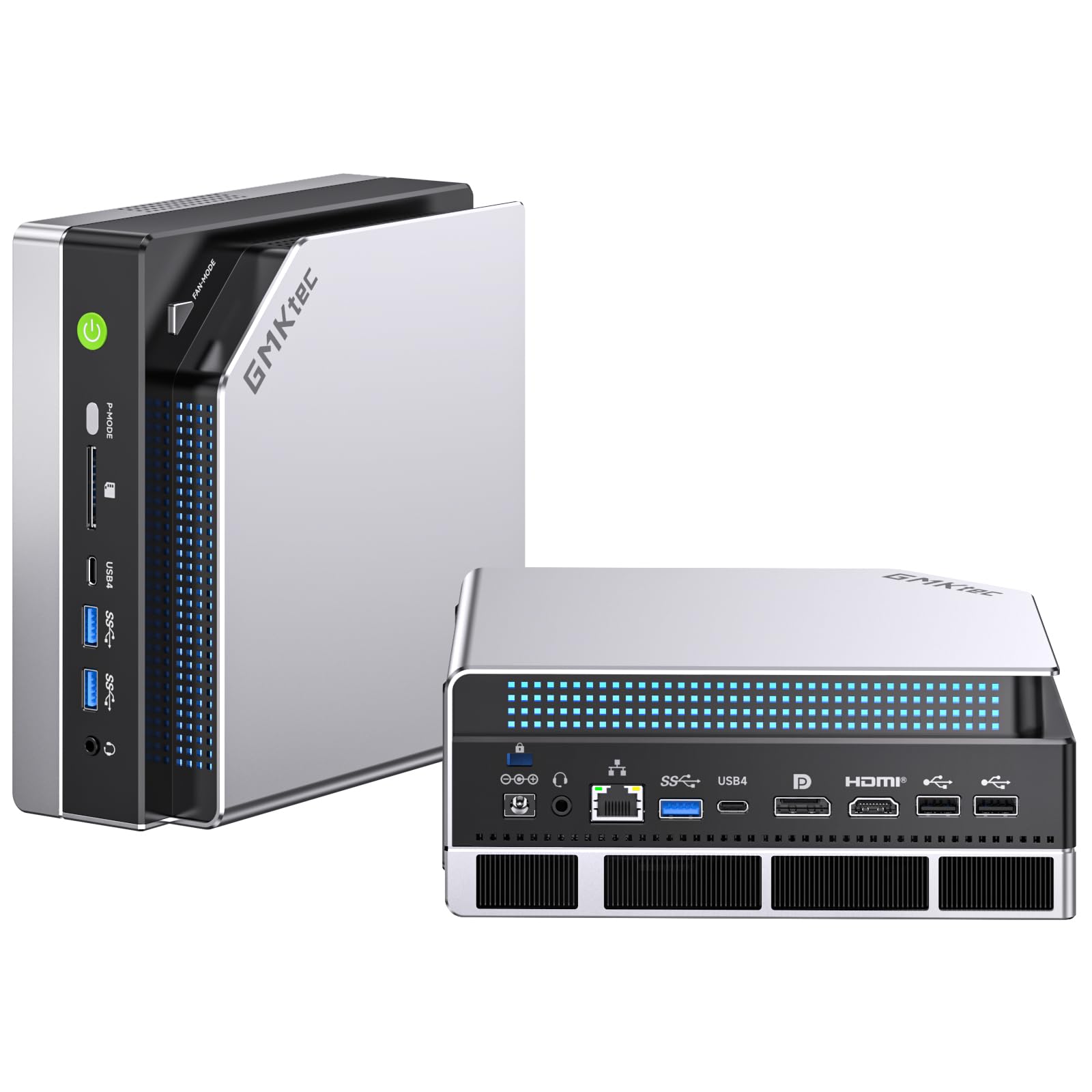

128GB unified memory to run 70B-class models locally
- Chip
- Ryzen AI Max+ 395
- Unified Memory
- 128 GB
- Memory Bandwidth
- 256 GB/s
- Tokens/sec (70B)
- 5 tok/s
- 128GB shared memory: fits 70B models
- 120W mode for long inference runs
- Soldered memory: cannot upgrade beyond 128GB
A 70B-parameter model at Q4_K_M quantization needs roughly 40GB just for its weights. That is more than any single consumer graphics card holds, yet it fits comfortably in the EVO-X2's 128GB of unified memory with room left for a long context window. This review covers what that capacity changes in practice, what the Strix Halo platform costs you, and who should pay $3,499.99 for it.
Pros
- 128GB shared memory: fits 70B models
- 120W mode for long inference runs
- Two M.2 slots for model libraries
- Dual 40Gbps USB4 for external storage
- Drives four displays, two at 8K60
Cons
- Soldered memory: cannot upgrade beyond 128GB
- LPDDR5X: fewer tokens/sec than RTX VRAM
- USB4 display output capped at 4K60
Design and build quality
The EVO-X2 puts a 120W-class processor into a mini PC, so the design matters mainly for one reason: how well it sustains heat during long inference runs. A model generating tokens for twenty minutes, or a batch job processing hundreds of documents, keeps the CPU, GPU and memory busy continuously. On a compact desktop, the cooling hardware determines whether that load runs steadily or gets throttled.
The Max 3.0 thermal system
GMKtec's Max 3.0 thermal system has four main parts, each cooling a different area:
| Component | Role |
|---|---|
| Vapor chamber | Spreads heat across the processor package, which holds the CPU, Radeon 8060S GPU and NPU on one die area |
| Three heat pipes | Carry heat from the vapor chamber out to the fin stack |
| Two large CPU fans | Push air through the fins to remove processor heat |
| Separate system fan | Moves air over the memory and SSD area, away from the main CPU airflow |
The separate system fan is the part that matters most for local LLM work. On Strix Halo, the 128GB of LPDDR5X-8000 sits on the board around the processor. A large quantized model also reads heavily from the NVMe drive while it loads. Cooling the memory and SSD with their own airflow means those parts are not relying only on air that the CPU fans have already heated.
This also affects upgrades. The two PCIe 4.0 x4 M.2 slots accept drives up to 8TB each. A second drive full of model files sits in the same zone that the system fan covers, so you are not adding a hot, poorly ventilated SSD to the chassis.
A mini PC with two CPU fans and a system fan needs open space around its vents to sustain heavy loads. Do not put it in a closed cabinet or push it against a monitor stand. The hardware can only remove heat if cool air can get in. This applies most when you run the higher power profiles for long periods.
Physical controls: power, RGB and performance mode
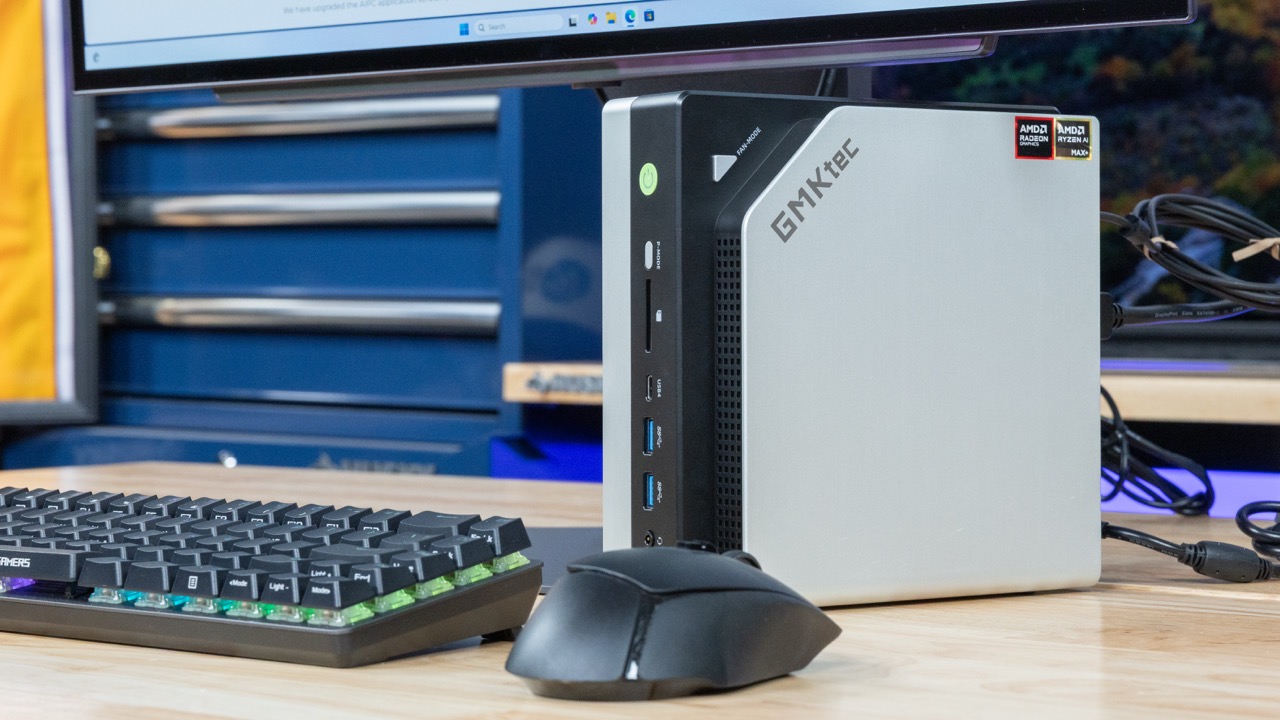
The EVO-X2 has three dedicated hardware buttons on the chassis:
- Power button: standard on/off.
- Performance-mode button: switches between the Silent, Balanced and Performance profiles directly. You do not need to open a utility or reboot.
- RGB button: cycles the system fan's lighting or turns it off.
The mode button has a practical use beyond convenience. Switching profiles is quick enough that you can match the power level to the task. Use Silent for writing code or chatting with a small model, then switch to Performance before a long 70B-class generation run or a game. The performance section below covers what each profile does to speed and noise. Because changing profile is a single physical press, you are more likely to match the profile to the task instead of leaving the machine in one mode permanently.
RGB lighting on a workstation desk
The system fan supports 13 selectable RGB lighting effects. That fits a gaming setup, and the effects are easy to change. If you would rather have a plain box on a work desk, the dedicated RGB button lets you turn the lighting off completely with one press, without installing a lighting utility.
In short, the chassis is built around sustained load: a vapor chamber and two CPU fans for the processor, a separate fan for the 128GB of memory and both SSD slots, and a hardware button to drop from 120W to 54W when the job is done.
Performance and power modes
The Ryzen AI Max+ 395 is AMD's top Strix Halo part, pairing a 16-core Zen 5 CPU with a 40-compute-unit integrated GPU. How much of that capability you actually get depends on which of the three power profiles you run.
CPU: desktop-class core count in a mini PC
The processor has 16 Zen 5 cores and 32 threads, a 3.0GHz base clock, boost up to 5.1GHz, and 80MB of combined L2 and L3 cache. A 16-core/32-thread count is what you would normally find in an enthusiast desktop, not a mini PC. Workloads that spread across every thread benefit most: large code compiles, CPU-based 3D rendering, video exports, and running containers or VMs next to an IDE. The large cache helps with big working sets such as builds and simulations. Light, single-threaded work like browsing, office apps and most games mainly uses the boost clock, and there a much cheaper chip comes close.
GPU and NPU: what the AI numbers actually mean
The Radeon 8060S has 40 RDNA 3.5 compute units, which makes it unusually large for integrated graphics. This GPU does the heavy work for gaming, GPU-accelerated rendering and, most importantly for this machine, local LLM inference. Popular inference runtimes put model layers on the GPU, and the GPU reads them from the shared memory pool. When you load a large open-weight model, the GPU is the part doing the work.
The XDNA 2 NPU is rated at up to 50 TOPS, and AMD quotes up to 126 TOPS combined across CPU, GPU and NPU. Treat these figures with some care:
- The 50 TOPS only matters in NPU-aware applications, such as Windows AI features and certain background effects, transcription or enhancement tools built for AMD's NPU stack.
- You only get the 126 TOPS combined total when software uses all three engines at once, which almost no real workload does.
- For LLM inference, generation speed is set by the GPU and memory bandwidth, not by the TOPS rating. The local LLM section below explains why.
Three power profiles, three different machines
The dedicated mode button switches between three package-power limits. This is the setting with the biggest effect on sustained performance:
| Profile | Package power | Best suited to |
|---|---|---|
| Silent | 54W | Coding, browsing, office work, light inference where fan noise matters more than speed |
| Balanced | 85W | Mixed daily use, moderate builds, gaming at sensible settings |
| Performance | 120W (brief peaks up to 140W) | Long renders, full-thread compiles, sustained GPU inference, demanding games |
The 140W peaks are short bursts that the chip can hold only briefly, so they do not represent a sustained level. On long jobs like an hour-long render or a batch of prompts through a large model, the machine settles at the profile's sustained limit, which is 120W in Performance mode. Silent mode runs at less than half that limit, so long multithreaded or GPU-bound tasks will take noticeably longer there. Short, bursty tasks will feel much less affected. A sensible approach is to use Silent or Balanced as your default and switch to Performance for long jobs. The button lets you change profiles without opening any software.
Where it sits among catalog rivals
Range across the products compared here
The 128GB unified memory pool is what sets the EVO-X2 apart from conventional mini PCs. Other Strix Halo mini PCs use the same silicon. Between those machines, CPU, GPU and NPU numbers are essentially identical, and the differences come down to power limits, cooling and price.
The EVO-X2 does not outperform a desktop with a strong discrete graphics card in raw gaming or in inference on models that fit in that card's VRAM. Its performance advantage is that it can run very large models on the GPU at all, inside a compact box drawing at most 120W sustained. If raw speed on smaller models matters more to you than model size, this performance profile is not the reason to pay $3,499.99.
Running local LLMs on 128GB of unified memory
The 128GB pool is the reason to consider the EVO-X2 at all. A 70B-parameter open-weight model at 4-bit quantization (Q4_K_M) needs roughly 40–43GB for its weights. On this machine that leaves tens of gigabytes for the KV cache, so you can run a large context window and still keep your IDE, browser and vector database open.
A 24GB-class discrete GPU cannot hold the same model. To run a 70B model at 4-bit, it has to offload layers to system RAM over PCIe, and generation speed drops sharply. The EVO-X2 avoids that split because the Radeon 8060S reads the weights directly from the same unified memory as the CPU.
| Model class (4-bit, Q4_K_M) | Approx. weight footprint | Fits in 24GB GPU? | Fits in EVO-X2 pool? |
|---|---|---|---|
| 8B dense | ~5GB | Yes, with room for long context | Yes, with plenty of headroom |
| 32B dense | ~19–20GB | Yes, but context is tight | Yes |
| 70B dense | ~40–43GB | No, needs layer offloading | Yes, plus a large KV cache |
| Large mixture-of-experts | Varies by model | Usually no | Often yes |
Bandwidth, not capacity, sets the pace
Fitting a model in memory does not make it fast. On large dense models, tokens per second are limited by memory bandwidth, because every generated token requires reading the full set of active weights.
- The LPDDR5X-8000 on Strix Halo's 256-bit interface gives a theoretical peak of about 256GB/s.
- Divide that by a ~40GB 70B model and the ceiling is around 6 tok/s.
- Real-world results land below that ceiling once software and memory overhead take their share.
So expect usable but not fast generation on 70B models. That speed works for drafting, coding assistance or batch summarisation where you read along. It feels slow for rapid back-and-forth chat. A high-end discrete card has several times this bandwidth, which is why it wins on any model it can fully hold.
Smaller models change the picture:
- 8B–14B models read far fewer bytes per token and respond quickly.
- Mixture-of-experts models suit this hardware especially well. Only a fraction of their parameters are active for each token, so you get the knowledge of a large model at close to the speed of a small one. The 128GB pool is what lets you keep the full set of experts resident.
Prefill is the hidden cost for RAG
Generation speed is only half the wait. Before the first output token, the model runs prompt processing (prefill) over your entire input. Prefill is compute-bound, and 40 RDNA 3.5 compute units are modest next to a flagship discrete GPU.
This matters most for retrieval-augmented generation (RAG) and long-context work. If you paste in a long contract, a codebase excerpt or dozens of retrieved chunks, time to first token (TTFT) can stretch from seconds to well over a minute on a 70B model. In practice:
- Chat with short prompts feels responsive.
- Document-heavy pipelines pay a real delay on every new query.
- Prompt caching in your inference server and tighter retrieval (fewer, better chunks) help more than any hardware setting.
Check the graphics memory allocation first
The GPU does not automatically get all 128GB. The share it can use depends on the platform's graphics-memory allocation:
- On Windows, this is set in the BIOS or through AMD's variable graphics memory option.
- On Linux, it also depends on kernel and driver limits on how much shared memory the GPU can map.
If the allocation is too small, a 70B model may fail to load or quietly spill work onto the CPU. When that happens, tokens per second collapse and it looks like a hardware limit when it is really a configuration problem.
Before downloading a 40GB+ model, open the BIOS and set the GPU's memory allocation high enough to cover the weights plus the KV cache for your target context window. Leave enough for the operating system and your other apps. Then load a small 8B model first to confirm your inference stack (llama.cpp, LM Studio or Ollama with a ROCm or Vulkan backend) is actually running on the Radeon 8060S rather than falling back to the CPU.
| Chip | Ryzen AI Max+ 395 |
|---|---|
| Unified Memory | 128 GB |
| Memory Bandwidth | 256 GB/s |
| Tokens/sec (70B) | 5 tok/s |
How it compares with the alternatives
| Product | Rating | Price | Buy |
|---|---|---|---|
 Apple Mac Studio (M3 Ultra) Up to 512GB of unified memory for very large local LLMs on one desk +512GB memory fits huge quantized models+80-core GPU speeds token generation -No CUDA: some AI tools unsupported | Buy → | ||
 Apple Mac mini (M4 Pro, 64GB) 64GB unified memory for 70B-class local models in a desk-sized box +64GB shared memory fits 70B-class quants+Small chassis runs quietly on a desk -No CUDA, so fewer fine-tuning tools | Buy → | ||
| Apple Mac Studio (M4 Max) Up to 128GB unified memory in a 7.7-inch box for large local models +128GB unified memory loads large models+7.7-inch square fits under monitors -No CUDA: some AI tools unsupported | $3,399.00 | Buy → | |
 GMKtec EVO-X2 (Ryzen AI Max+ 395, 128GB) 128GB unified memory to run 70B-class models locally +128GB shared memory: fits 70B models+120W mode for long inference runs -Soldered memory: cannot upgrade beyond 128GB | $3,499.99 | Buy → | |
 Minisforum MS-S1 Max Best Value Ryzen AI Max+ 395 mini PC with dual 10GbE and a PCIe x16 slot for LLM clusters +64GB shared memory sidesteps VRAM limits+Dual 10GbE for multi-unit clustering -235B Q4 needs two units | $2,599.00 | Buy → | |
 NVIDIA DGX Spark 128GB unified memory and a 4TB SSD for running large open-weight LLMs on your desk +128GB memory: larger models fit+4TB SSD stores many models -Upgrade voids NVIDIA's original warranty | $8,699.99 | Buy → |
Prices as of Nov 16, 2026; they may have changed since.
Who it suits
The EVO-X2 makes sense for a narrow group of buyers, and they share one requirement: they need more memory addressable by the GPU than a consumer graphics card offers. Outside that group, the $3,499.99 price is hard to justify.
The buyers it is built for
Developers and researchers running 70B-class open-weight models locally. As covered above, the weights alone exceed a 24GB or 32GB card, and a long context window's KV cache pushes the total further. The 128GB unified memory pool holds that model on one machine without splitting layers across GPUs or offloading to slow system RAM. Two kinds of buyer gain most from this:
- Privacy-bound teams, such as legal, medical and internal-codebase work, where prompts cannot leave the building.
- Cost-driven users whose cloud API bills for long-document or agentic workloads would cover the hardware within months.
Multi-monitor developers who also compile and render. The 16 Zen 5 cores and 32 threads handle large builds. HDMI 2.1, DisplayPort 1.4 and two USB4 outputs drive up to four screens at once, for example an IDE, a terminal, model logs and documentation. Here the extra memory also does everyday work. It can hold a local model, a container stack, a browser full of tabs and a Blender scene at the same time without the system swapping.
Buyers who want one compact box instead of a tower. If your desk or office has no room for a full ATX build, the EVO-X2 combines three jobs in one chassis:
- Inference on the GPU
- Development on the CPU
- Occasional gaming on the Radeon 8060S, which is realistic at 1080p or 1440p with sensible settings rather than maxed-out 4K
The Silent 54W profile also suits a machine that runs inference jobs overnight in a shared room.
Who should skip it
Your models already fit in 32GB. If you mostly run 7B–14B models, or 30B-class models at aggressive quantization, a discrete GPU with enough memory will generate faster. The 128GB pool is the main reason for the price, and you would not be using it.
Tokens per second matter more than model size. Generation speed on large dense models is limited by memory bandwidth, and LPDDR5X-8000 has far less bandwidth than the GDDR7 or HBM on high-end cards. A 70B model will run here, but at reading pace, and long prompts add a prefill delay before the first token. If you need high throughput for many users or batch jobs, this is the wrong tool.
You mainly game. For the same money, a discrete-GPU desktop delivers far more frame rate per dollar, and you can upgrade it later. The EVO-X2's memory is soldered, and its GPU is integrated. You would be paying for capacity a game will never use.
Good for
- Developers and researchers running 70B-class open-weight models locally for privacy or to cut cloud API costs
- Long-context work where the KV cache pushes memory needs past 32GB
- Multi-monitor programmers who also compile large projects or render 3D and video
- Buyers who want one compact machine for inference, development and 1080p/1440p gaming
- Always-on home-lab inference boxes that benefit from a 54W Silent profile
Not for
- Anyone whose models fit comfortably in 24–32GB of GPU memory
- Users who prioritise tokens per second or multi-user throughput over model size
- Primarily gamers, since a discrete-GPU build gives more frame rate per dollar
- Buyers who expect to upgrade RAM later, because the 128GB is soldered
- General creative or office users, for whom a cheaper mini PC does the job
A quick self-check before buying
Write down the largest model you actually plan to run, its quantization and the context length you need. If that adds up to more than about 32GB, the EVO-X2's memory pool solves a real problem. If it does not, the money is better spent on a faster discrete GPU or a smaller memory configuration.
Value and verdict
At $3,499.99, the EVO-X2 costs workstation money, and most of that goes to the 128GB LPDDR5X-8000 unified memory pool. The Ryzen AI Max+ 395, Radeon 8060S and 1TB SSD are the same parts other Strix Halo builds use. The 128GB tier is what you are paying a premium for. Because that memory is soldered, the money is committed at checkout. You cannot buy a smaller configuration now and upgrade later.
That premium is worth paying in one case: your models are larger than a consumer GPU can hold. A 24GB discrete card runs an 8B–32B model faster than this machine can. A 4-bit 70B model does not fit on a single consumer card; on the EVO-X2 it loads in full, with headroom for a second model or a larger context. If your work never goes past 32GB, the extra capacity sits idle, and you are paying workstation prices for the same tokens per second a cheaper box would give you.
Where the money goes, by workload
| Your main workload | Does 128GB pay off? | Better use of the budget |
|---|---|---|
| 70B-class dense models, 4-bit, private/local | Yes. This is the core use case | — |
| Large mixture-of-experts models or several models loaded at once | Yes. Capacity is the constraint | — |
| 7B–32B models where speed matters most | No. Memory bandwidth caps tok/s | A desktop with a 24GB discrete GPU |
| Gaming at 1440p/4K | No. The 8060S is capable but priced like a flagship | A discrete-GPU gaming PC |
| Photo/video editing, development, office | No. 32–64GB covers it | A lower-memory Strix Halo configuration |
Budget for a second NVMe drive
The included 1TB PCIe 4.0 SSD fills up quickly once you keep a model library locally. Each 4-bit 70B-class file takes roughly 40GB, and keeping alternative quantizations (Q4_K_M next to a Q5 or Q6 variant) to compare quality against speed multiplies that. Add a few large MoE checkpoints, the operating system and your tools, and a third or more of the drive can go to models alone.
The free second M.2 2280 slot accepts drives up to 8TB. A 2TB or 4TB drive there is the most practical addition to your budget. The 2.5GbE port lets you pull archived models from a NAS. Even so, keeping your active models on local NVMe avoids long reloads when you switch between them.
The real cost of entry
Budget for the machine plus a second NVMe drive if you plan to keep a working library of large quantized models. The 1TB drive is enough to start with, but a growing collection of 40GB-plus files will outgrow it.
Final assessment
The EVO-X2 does not compete on raw speed. On large dense models, memory bandwidth sets tokens per second, and prompt processing on long documents adds a noticeable time to first token. What it offers is GPU-addressable capacity in a compact box that can drop to a 54W Silent profile at the press of a button, while also covering 16-core development work, four displays and occasional gaming without extra hardware.
If you need to run 70B-class models locally for privacy, offline evaluation or cost control, few machines at this size can do it. If you don't need that, the same chip in a cheaper configuration, or a desktop with a discrete GPU, gives you more for your money.
Buy the 128GB EVO-X2 if your local LLM work is limited by memory capacity, meaning you need models larger than a consumer GPU can hold. For gaming, creative work or models that fit in 32GB, a cheaper configuration or a discrete-GPU desktop is the better value.
Disclosure: we may earn a commission from qualifying purchases made through links on this page, at no extra cost to you. Our assessment is based on research and public sources, not compensation.