Apple Mac mini (M4 Pro, 64GB) review: a quiet local LLM box with a bandwidth ceiling
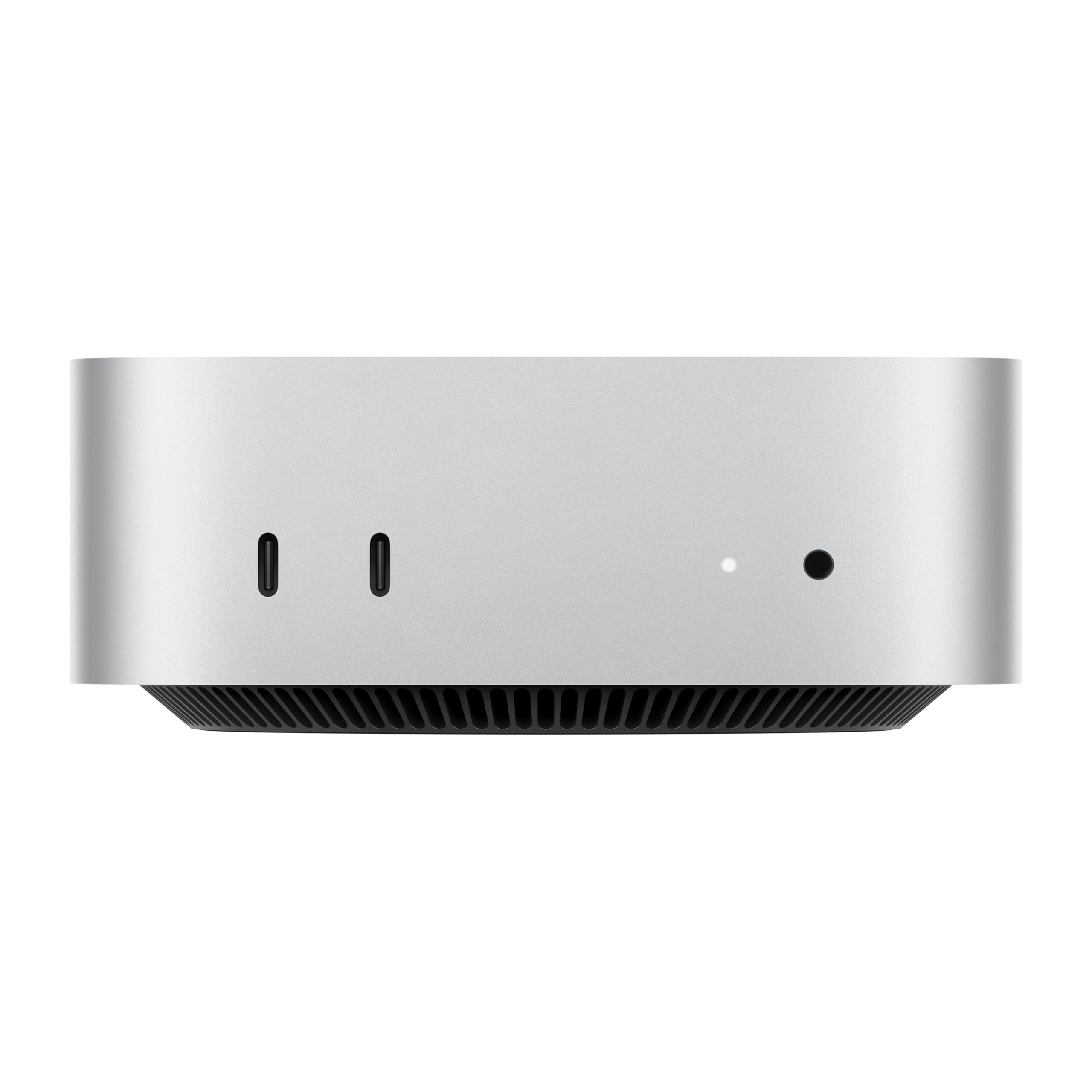

64GB unified memory for 70B-class local models in a desk-sized box
- Chip
- M4 Pro
- Unified Memory
- 64 GB
- Memory Bandwidth
- 273 GB/s
- Tokens/sec (70B)
- 5.5 tok/s
- 64GB shared memory fits 70B-class quants
- Small chassis runs quietly on a desk
- No CUDA, so fewer fine-tuning tools
64GB of unified memory is enough to load a 70B-parameter model at 4-bit quantization in a box about 5 inches square. The M4 Pro's 273 GB/s memory bandwidth decides how fast that model actually responds, and that is the number to weigh before you buy.
Pros
- 64GB shared memory fits 70B-class quants
- Small chassis runs quietly on a desk
- Front USB-C for quick drive swaps
- Gigabit Ethernet for LAN model serving
- Thunderbolt for fast external model storage
Cons
- No CUDA, so fewer fine-tuning tools
- Prompt processing slower than Nvidia GPUs
- Memory can't be upgraded after purchase
Design and build quality
The 2024 redesign cuts the Mac mini down to a footprint of roughly 5 x 5 inches, smaller than the previous model's. For a local LLM box, that size determines where the machine can go. It fits beside a monitor, under a monitor arm, or on a bookshelf or rack shelf in a homelab, where a tower would need floor space. Many Strix Halo mini PCs are also compact, but they usually need room for an external power brick and its cable as well.
One cable, no brick
The power supply is internal, so the Mac mini needs only a single power cord to run. For an always-on inference server running Ollama or LM Studio, this has three practical effects:
- Simpler placement. You don't need to find space for a brick on the floor or fit one into a cable tray.
- Fewer failure points. The cable can't be knocked out of a brick, and you don't need to keep track of a proprietary charger.
- Headless setups are easy. A power cord and an Ethernet cable are enough for a box you reach over the network from a laptop. It can sit in a cupboard or next to the router without a display attached.
A machine that serves a 32B coding model to your editor, or runs a private RAG pipeline overnight, spends almost all of its time unattended. Fewer cables and a smaller footprint mean less to manage when the hardware is a utility rather than a workstation.
| Design factor | Mac mini (M4 Pro) | Typical tower build | Typical mini PC with external brick |
|---|---|---|---|
| Desk/shelf footprint | ~5 x 5 in | Floor or large desk area | Small chassis plus brick |
| Power supply | Internal, single cord | Internal, large PSU | External adapter |
| Cables needed to run headless | Power + network | Power + network | Power brick + network |
| Suited to a shelf or rack tray | Yes | Rarely | Usually, with brick placement planned |
Aluminium unibody and the power-button quirk
The chassis is an aluminium unibody, with no seams to creak and no plastic panels to flex. It's dense enough not to slide around when you plug in cables. The shell also acts as part of the cooling path, which matters for the long, sustained GPU loads that local inference produces. The section on ports, noise and day-to-day software covers how it sounds under load.
The power button is on the underside, at the rear corner. You have to tilt or lift the machine slightly, or reach under it, to press it. This was widely criticised at launch, and it's a real annoyance if you shut down every evening.
For an inference server, the bottom-mounted button barely matters. You set it up once, enable automatic restart after a power failure in macOS settings, and rarely touch it again. It only becomes a problem if you plan to cold-boot the machine every day.
What the small footprint doesn't change
The compact chassis doesn't add anything to performance. The 64GB of unified memory is soldered to the Apple silicon package, and the internal design leaves no room for upgrades: no extra RAM slots, no GPU, no swappable SSD. With a tower you can add a second GPU later, but with the Mac mini, the configuration you buy is the one you keep. Bulk storage for model files has to go on external drives. That's manageable for a library of quantized open-weight models, but plan for the extra desk space and cable.
In short, the design suits a buyer who wants a set-and-forget local LLM appliance that fits beside a monitor. It's a poor fit for anyone who expects the hardware to grow with larger models.
| Chip | M4 Pro |
|---|---|
| Unified Memory | 64 GB |
| Memory Bandwidth | 273 GB/s |
| Tokens/sec (70B) | 5.5 tok/s |
Real-world performance
Generation speed on Apple silicon follows a simple rule. To produce each token, the GPU reads the active weights from unified memory, so tokens per second scale roughly with memory bandwidth divided by model size. At 273 GB/s, the M4 Pro has a fixed budget, and every extra billion parameters reduces output speed.
The table below shows the theoretical ceiling for common dense models at Q4_K_M quantization. These figures come from arithmetic, not measurement. Real runs land below them because of software overhead, KV-cache reads and context length.
| Dense model size (Q4_K_M) | Approx. weight footprint | Theoretical ceiling at 273 GB/s | How it feels in practice |
|---|---|---|---|
| 8B | ~5 GB | ~55 tok/s | Instant, faster than you can read |
| 14B | ~9 GB | ~30 tok/s | Responsive for chat and coding |
| 32B | ~19–20 GB | ~14 tok/s | Usable, close to reading pace |
| 70B | ~40 GB | ~7 tok/s | Slow; output trails your reading speed |
7B–14B models feel genuinely responsive on this machine. 32B coding and reasoning models sit at a workable middle ground. Publicly reported 70B 4-bit runs land in single-digit tok/s, which matches the ceiling above. The 64GB of unified memory lets a 70B model load, but the bandwidth limits how quickly it answers. A 70B model works for an occasional high-quality draft. It's frustrating for back-and-forth chat or agentic coding loops that make dozens of calls.
Prompt processing (prefill) depends on compute rather than bandwidth, and it's the weaker side of Apple silicon GPUs. Short prompts start almost immediately. Pasting a long PDF, a large chunk of a codebase or a long RAG context produces a noticeable time to first token (TTFT) before any output appears. On a 32B or 70B model with a long context, that delay grows to many seconds and can exceed a minute. Nvidia cards with dedicated tensor hardware get through the same prompt far faster.
The practical consequence is that TTFT, not tok/s, is often what you'll notice first in long-document workflows. If your typical prompt is a few hundred tokens of chat, prefill hardly matters. If you regularly feed in 20,000+ tokens of source code, expect to wait before each answer begins. Prompt caching in Ollama, LM Studio and MLX helps on repeated contexts but doesn't remove the delay.
Why mixture-of-experts models suit this machine
Mixture-of-experts (MoE) open-weight models are the sweet spot for the 64GB M4 Pro. An MoE model stores many expert sub-networks but activates only a small subset of parameters per token. A design like Qwen3-30B-A3B holds about 30B parameters in memory but reads only about 3B for each token generated.
That matches what this Mac mini offers: plenty of capacity to hold the full model, and limited bandwidth that only needs to move the active slice. You get knowledge and quality close to a mid-size dense model with generation speed closer to a small one. Prefill still scales with the full workload, so MoE models don't fix long-prompt TTFT, but they're the most efficient use of 64GB at 273 GB/s.
Range across the products compared here
The bars show the same trade-off. On memory capacity, the Mac mini scores high for its size: 64GB of unified memory in a roughly 5-inch box exceeds most discrete GPUs and runs 30B-class models with room for a long context window. On memory bandwidth, it sits mid-pack against the catalog rivals. It's clearly behind the M4 Max Mac Studio and roughly level with Strix Halo systems. If you want to run larger models comfortably, the capacity bar matters more. If you want faster output, the bandwidth bar is the one to watch.
Ports, noise and day-to-day software
For the first time on a Mac mini, there are front-facing USB-C ports and a headphone jack. That matters more than it sounds on a box this small. You can plug in a USB stick, an SD reader or wired headphones without tilting the machine or groping around the back panel. The back panel carries the permanent connections: Thunderbolt, HDMI and Gigabit Ethernet.
For local LLM work, the Thunderbolt ports do the most. A single quantized 70B model at Q4_K_M takes about 40GB on disk, and a modest library of 8B, 14B, 32B and 70B variants in a few quantization levels quickly runs past several hundred gigabytes. A fast external Thunderbolt SSD lets you keep that library off the internal drive. It only affects how quickly a model loads into unified memory, not tokens per second once the model is loaded, so external storage costs you a few seconds at load time and nothing during generation.
| Connection | Location | Practical role in a local LLM setup |
|---|---|---|
| Thunderbolt | Rear | External SSD for model libraries, docks, high-resolution displays |
| HDMI | Rear | A display or TV for initial setup or occasional local access |
| Gigabit Ethernet | Rear | Stable wired link if you serve models to other machines on your network |
| USB-C | Front | Quick-swap drives, peripherals, charging an iPhone |
| Headphone jack | Front | Wired audio without a dongle or a reach to the back |
On noise, the compact chassis uses a fan that has to work harder during long inference runs than during light desktop use. Public reports describe it as quiet compared with a typical gaming GPU tower or many Strix Halo mini PCs under sustained load. That fits the M4 Pro's power envelope, which is far lower than a discrete GPU drawing hundreds of watts. If you run batch jobs overnight in a bedroom or a shared office, that difference is a real reason to choose the Mac mini. If you sit next to it during a long prefill on a big document, expect the fan to be audible rather than silent.
The software stack
macOS runs the main local LLM tools natively:
- Ollama is a command-line tool with a local API, a good fit for scripting and for coding assistants that expect an OpenAI-style endpoint.
- LM Studio is a graphical app for browsing, downloading and chatting with open-weight models, with GGUF and MLX backends.
- MLX is Apple's own array framework for Apple silicon. MLX-format models often generate a little faster than GGUF equivalents on the same hardware.
Apple Intelligence runs alongside these tools but is a separate system. It handles on-device writing tools, summaries and notification triage with Apple's own models. You cannot point it at your Qwen or Llama install, and it does not use the models you download. Think of it as a built-in convenience layer, while your own local LLMs remain the reason for the 64GB configuration.
For sensitive documents such as contracts, medical records or client code, the rest of macOS supports the privacy case. FileVault encrypts the internal drive, Find My can locate a lost or stolen machine, and Apple ships free security updates for years. Pair that with inference that never leaves the box, and you have a private assistant for material you would not paste into a cloud chatbot. iPhone Mirroring is a smaller convenience: you can check a 2FA code or reply to a message on your phone without breaking focus.
Choose your memory at checkout. You cannot upgrade it later. Storage works the other way: Apple's internal SSD upgrades are expensive per terabyte, while a Thunderbolt external SSD holds a large model library for much less money with no effect on tok/s once a model is loaded. If your budget is tight, spend it on memory first, keep the base internal drive, and plan for external storage.
How it compares to Mac Studio and Strix Halo
Outside a discrete-GPU tower, there are three main hardware routes to running large models locally. All three use unified memory, so the CPU and GPU share one pool instead of splitting weights across a graphics card. The difference lies in how they balance capacity, memory bandwidth, and software maturity. The 64GB M4 Pro Mac mini sits at the compact, quiet end of that range, and that position has costs.
| Factor | Mac mini (M4 Pro, 64GB) | Mac Studio (M4 Max) | Strix Halo mini PC |
|---|---|---|---|
| Memory bandwidth | 273 GB/s | 546 GB/s | ~256 GB/s |
| Unified memory ceiling | 64GB | Higher-capacity configurations available | Up to 128GB |
| Relative tok/s, same model | Baseline | Roughly 2x | Roughly on par with the Mac mini |
| Realistic sweet spot | 14B–32B, 70B at Q4 with tight headroom | 32B–70B at usable speed | 70B+ and large MoE models |
| Inference software | Ollama, LM Studio, MLX, llama.cpp (Metal), all mature | Same macOS stack | llama.cpp via ROCm or Vulkan, less polished |
| Footprint and noise | ~5 x 5 in, quiet but fan audible under sustained load | Larger box, still quiet | Varies by chassis, usually fan-cooled |
Mac Studio: buying bandwidth
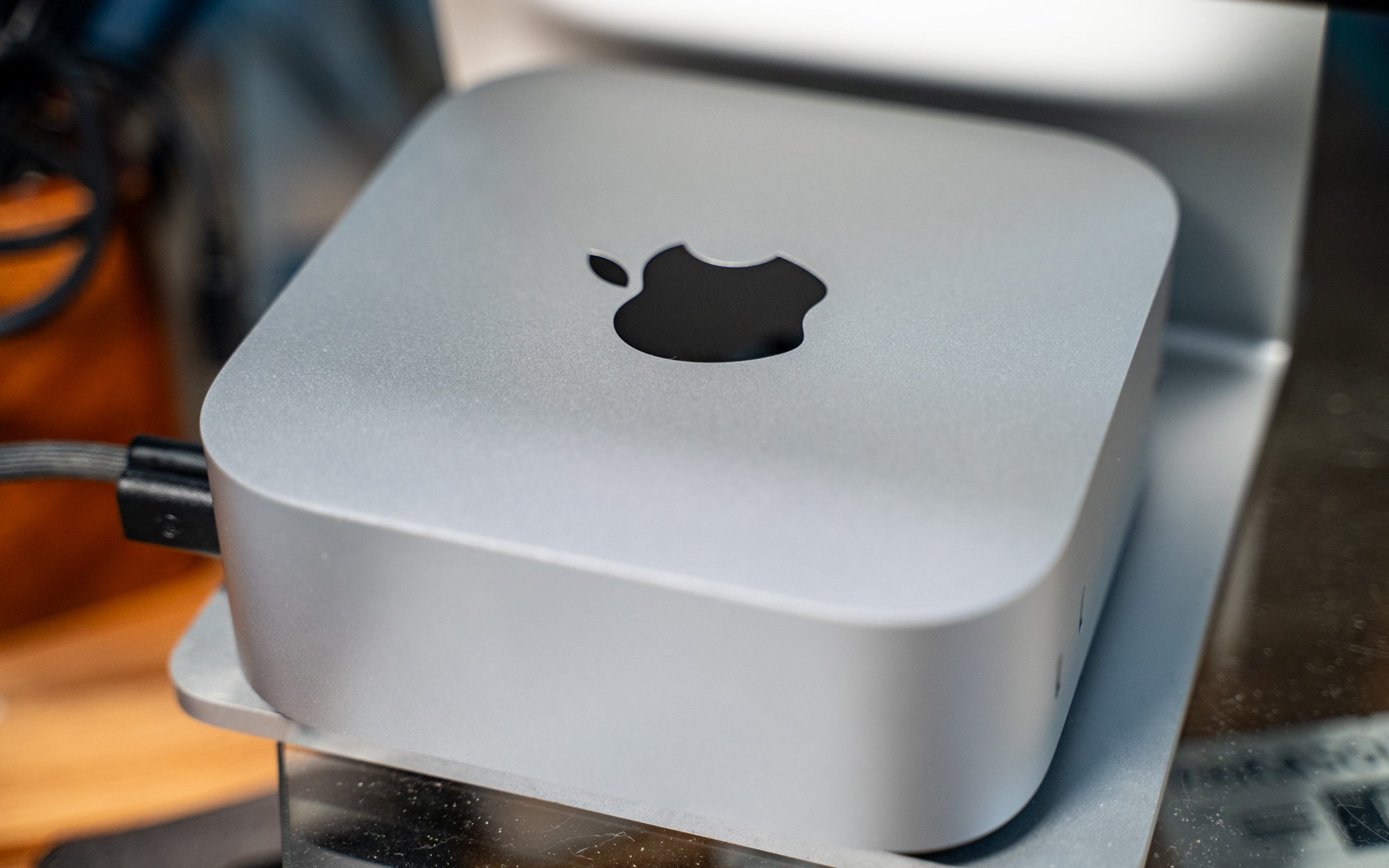
The Mac Studio with M4 Max doubles memory bandwidth to 546 GB/s. Generation speed is bound by how fast the weights can be streamed per token, so the same model at the same quantization runs at roughly twice the tok/s. For a 70B model at Q4_K_M, that is the difference between output that trails your reading speed and output that keeps up with it. The same advantage applies to 32B coding models that you hit with dozens of short requests a day.
The trade-off is a much higher entry price and a taller box that is less easy to tuck beside a monitor. The software story does not change: it is the same macOS, MLX, Ollama and LM Studio stack, so nothing you learn on a Mac mini goes to waste. If you already know that 70B generation speed is your bottleneck, the Studio fixes the actual constraint. More memory on the mini would not.
Strix Halo: buying capacity
AMD's Ryzen AI Max platform, sold as Strix Halo mini PCs, offers up to 128GB of unified memory at about 256 GB/s. Bandwidth is in the same class as the M4 Pro, so per-token speed on a given model is broadly similar. The gain is room. A 70B model at Q4_K_M leaves plenty of headroom for a long context window on Strix Halo. Larger mixture-of-experts open-weight models also become loadable, and they would simply not fit in 64GB.
The catch is software. Inference runs mainly through llama.cpp on ROCm or Vulkan backends, which work but are less polished than MLX and the Metal path on macOS. You should expect more time spent on:
- driver versions
- backend flags
- the split between system memory and GPU-allocatable memory
This is fine for a tinkerer running Linux, but it is friction for anyone who wants a model download to just work.
Where the Mac mini wins, and where it stops
The Mac mini doesn't win on bandwidth or capacity. Its strengths are noise, size and a mature macOS stack. Its hard limit is the 64GB ceiling, which you can't raise after purchase.
That ceiling matters more over time than today. Current 30B–32B models fit comfortably, and 70B at 4-bit fits with little room to spare. Open-weight releases keep trending toward larger mixture-of-experts designs, though, and some of them will outgrow 64GB.
The 64GB M4 Pro remains the most practical choice if you mostly run mid-size models and want a machine that also handles Photoshop, Zoom and daily work without fan noise. If 70B generation speed is your main concern, choose the Mac Studio. If you need room for 100B-class models and accept rougher tooling, choose Strix Halo.
Who it suits and who should skip it
The 64GB M4 Pro configuration makes sense when mid-size models are the daily workload and the machine also has other jobs to do. When a single requirement, such as speed on the largest models, capacity beyond 64GB, or training, dominates, other hardware serves it better for the money.
Where it fits
Developers running 14B–32B coding models locally get the most from this configuration. A 32B coder at Q4_K_M needs roughly 19–20GB for weights. On 64GB of unified memory, that leaves room for a generous context window, an IDE, Docker and a browser full of documentation, with no swapping. At the roughly 14 tok/s ceiling from the performance table, output stays close to reading pace, which suits code review and chat-style assistance, and the low noise makes it practical to leave running all day.
Privacy-focused users are the second clear fit. Lawyers, clinicians, journalists and consultants who can't paste contracts, patient notes or sources into a cloud chatbot can run a local LLM in Ollama or LM Studio with no data leaving the desk. FileVault encrypts the drive, so the files stay protected even if the machine walks off. Summarising and drafting with a 14B–32B model is well within reach.
Creatives who also edit photo and video get a machine that earns its keep beyond inference. The same 64GB that holds a model also helps with large Photoshop documents and multicam timelines, so one compact box covers both the creative work and the AI work.
Where it falls short
Fast 70B+ generation is the clearest mismatch. A 70B model at Q4_K_M fits, but generation tops out just under 7 tok/s in theory, real speeds land lower, and long outputs feel slow. A Mac Studio with M4 Max roughly doubles that rate.
Long-context RAG over huge corpora runs into prompt processing (prefill), the weaker side of Apple silicon. Feeding tens of thousands of tokens of retrieved documents into every query stretches time to first token. An Nvidia GPU rig processes prompts much faster.
Model training or serious fine-tuning is a different job from inference. CUDA tooling, compute throughput and multi-GPU scaling all point to Nvidia hardware. MLX can handle light LoRA experiments, but this isn't a training box.
Anyone who only runs 8B models is paying for capacity they won't use. An 8B model at 4-bit needs about 5GB, which a cheaper 24GB or 32GB Mac mini holds with room to spare.
| Your main workload | Fit on the 64GB M4 Pro Mac mini | Better alternative |
|---|---|---|
| 14B–32B coding assistant | Strong: fits with context headroom | — |
| Private document Q&A, moderate length | Strong | — |
| Photo/video editing plus local LLM | Strong | — |
| 70B chat at interactive speed | Usable but slow | Mac Studio (M4 Max) |
| RAG over very long contexts | Prefill becomes the bottleneck | Nvidia GPU rig |
| Training or heavy fine-tuning | Poor | Nvidia GPU rig |
| 8B models only | Overspecced | 24GB/32GB Mac mini |
Good for
- Developers running 14B–32B coding models locally alongside an IDE, containers and a browser
- Lawyers, clinicians, journalists and consultants who need to keep confidential documents off the cloud
- Photographers and video editors who want one quiet desktop for creative apps and a local LLM
- Anyone who wants a quiet, 5-inch-square machine that runs mid-size open-weight models all day
Not for
- Users who expect fast 70B+ generation; a Mac Studio with M4 Max offers twice the memory bandwidth
- Long-context RAG pipelines over large document collections, where slow prefill raises time to first token
- Model training or large-scale fine-tuning, which belongs on an Nvidia GPU rig
- Buyers who only run 8B models, for whom a 24GB or 32GB Mac mini costs less and does the same job
If your plans sit between these lists, such as mostly 32B work with occasional 70B experiments, the deciding question is how often you'll wait on the large model. Occasional slow runs are an acceptable trade for silence and size. Daily slow runs are a reason to spend more on bandwidth.
Value for money and verdict
The 64GB Mac mini is not the cheapest way to get memory and not the fastest way to generate tokens. Its value is capacity per dollar in a silent, compact package. Here the memory upgrade buys a real change in which models you can run, not just extra headroom.
What the 64GB upgrade actually buys
A 32B-class model at 4-bit quantization needs roughly 19–20GB for its weights. On a 24GB or 32GB machine that technically fits, but the KV cache, macOS and your other apps have to share what's left. That means short context windows, pressure on swap, and closing your browser before loading a model. At 64GB, 32B-class models become practical day to day. You can keep a coding model resident, give it a usable context window, and still run Xcode, Photoshop or a stack of Docker containers next to it.
The upgrade also makes 70B models possible. At Q4_K_M the weights take about 40GB, so they load once you raise the GPU's share of unified memory. They are not comfortable, though. The bandwidth arithmetic sets a hard ceiling: 273 GB/s divided by about 40GB of weights gives a theoretical maximum under 7 tok/s, and real throughput lands below that. Treat 70B as an occasional option, not the reason to pay for the upgrade.
| Workload | 24–32GB Mac mini | 64GB Mac mini (M4 Pro) |
|---|---|---|
| 7B–14B models at 4-bit | Comfortable | Comfortable, with room for long context |
| 32B-class models at 4-bit | Tight; short context, few apps open | Daily-driver territory |
| 70B at Q4_K_M | Does not fit | Fits, but generation is slow |
| Mid-size MoE open-weight models | Often too large | Good fit; fewer active parameters per token |
Where the money goes further elsewhere
The comparison section covers these machines in detail. The value point is simple: this is the balanced choice, not the extreme one.
- For raw tok/s, a Mac Studio with M4 Max roughly doubles generation speed on the same model. If you plan to live in 70B models, the extra spend buys speed you will feel on every response.
- For maximum capacity, Strix Halo mini PCs double the memory ceiling at similar bandwidth, leaving room for 70B+ models and very long contexts. The trade-offs are a less mature software stack and, on many models, more fan noise.
The Mac mini sits between those two. It has less bandwidth than the Studio and less capacity than Strix Halo. In exchange you get the smallest footprint of the three, quiet operation and a mature macOS toolchain (Ollama, LM Studio, MLX) that needs little configuration. If you don't need the extreme on either axis, that combination is what you pay for.
Should you pay for 64GB?
Pay for 64GB if 32B-class models or mid-size MoE models are your target, or if you want to run a local LLM alongside heavy creative apps. If you mainly run 8B–14B models, a cheaper 24GB or 32GB Mac mini runs them comfortably for less. If fast 70B generation is the goal, put the extra budget toward bandwidth instead.
Final assessment
Because this purchase locks in your memory ceiling, 64GB is the safer bet for anyone serious about running models locally: it covers today's 32B-class coding and reasoning models with room to spare. It is still a fully capable everyday Mac for photo editing, development and Apple Intelligence. The limit is speed, not capacity. Buyers who understand that 273 GB/s ceiling will be well served. Buyers expecting Mac Studio-class 70B throughput will be disappointed.
The 64GB M4 Pro Mac mini is a compact, quiet and low-maintenance home for 14B–32B open-weight models, and doubles as a capable creative workstation for apps like Photoshop. It is the right buy for mid-size local LLM work, but not for anyone who needs fast 70B generation.
Disclosure: we may earn a commission if you buy through links on this page, at no extra cost to you. This doesn't influence our assessment.