Acer Veriton GN100 review: 128GB of unified memory for local LLMs, at a premium
 Editor's Choice
128GB unified memory and 20 cores for running large local models at your desk
- Chip
- NVIDIA GB10
- Unified Memory
- 128 GB
- Memory Bandwidth
- 273 GB/s
- Tokens/sec (70B)
- 4.5 tok/s
- 128GB shared memory fits larger models
- 20 cores handle data-prep workloads
- Upgrade voids Acer's original warranty
The GN100's 128GB of unified memory is the reason to buy it: it holds 4-bit quantizations of 70B-parameter models with room for a long context window, which a 24GB or 32GB desktop GPU can't do. This $6,699.99 CyberGeek configuration adds storage and a seller warranty, and you should weigh both before paying for them.
| Chip | NVIDIA GB10 |
|---|---|
| Unified Memory | 128 GB |
| Memory Bandwidth | 273 GB/s |
| Tokens/sec (70B) | 4.5 tok/s |
Design and build quality
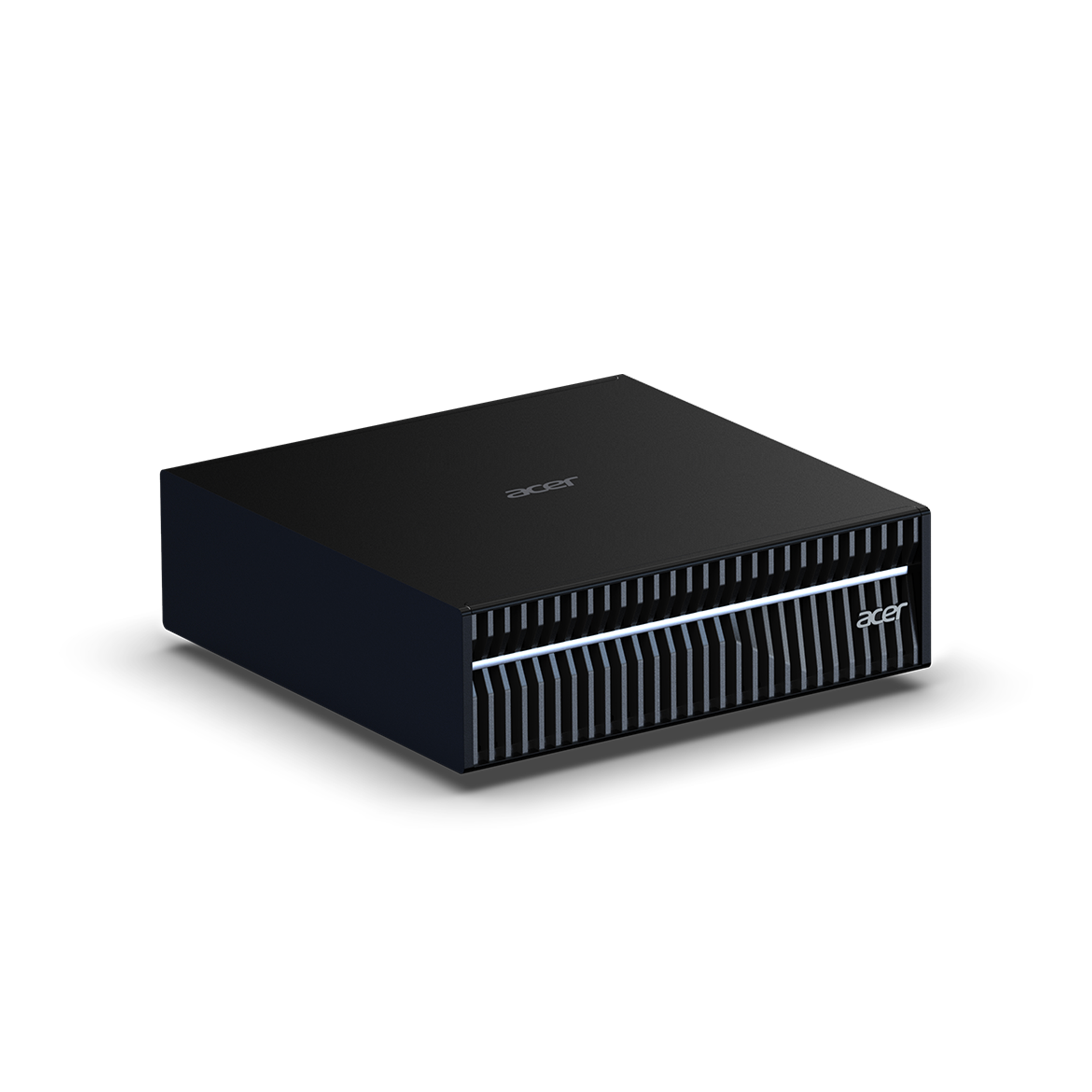
The GN100 uses a mini-PC chassis rather than a tower. It sits beside a monitor stand or under a shelf, with no rack, no dedicated room and no full-size case. For a home office or a shared lab bench, this is the main practical advantage over a discrete-GPU workstation. You get 128GB of unified memory without the space, cooling and noise of a multi-GPU tower.
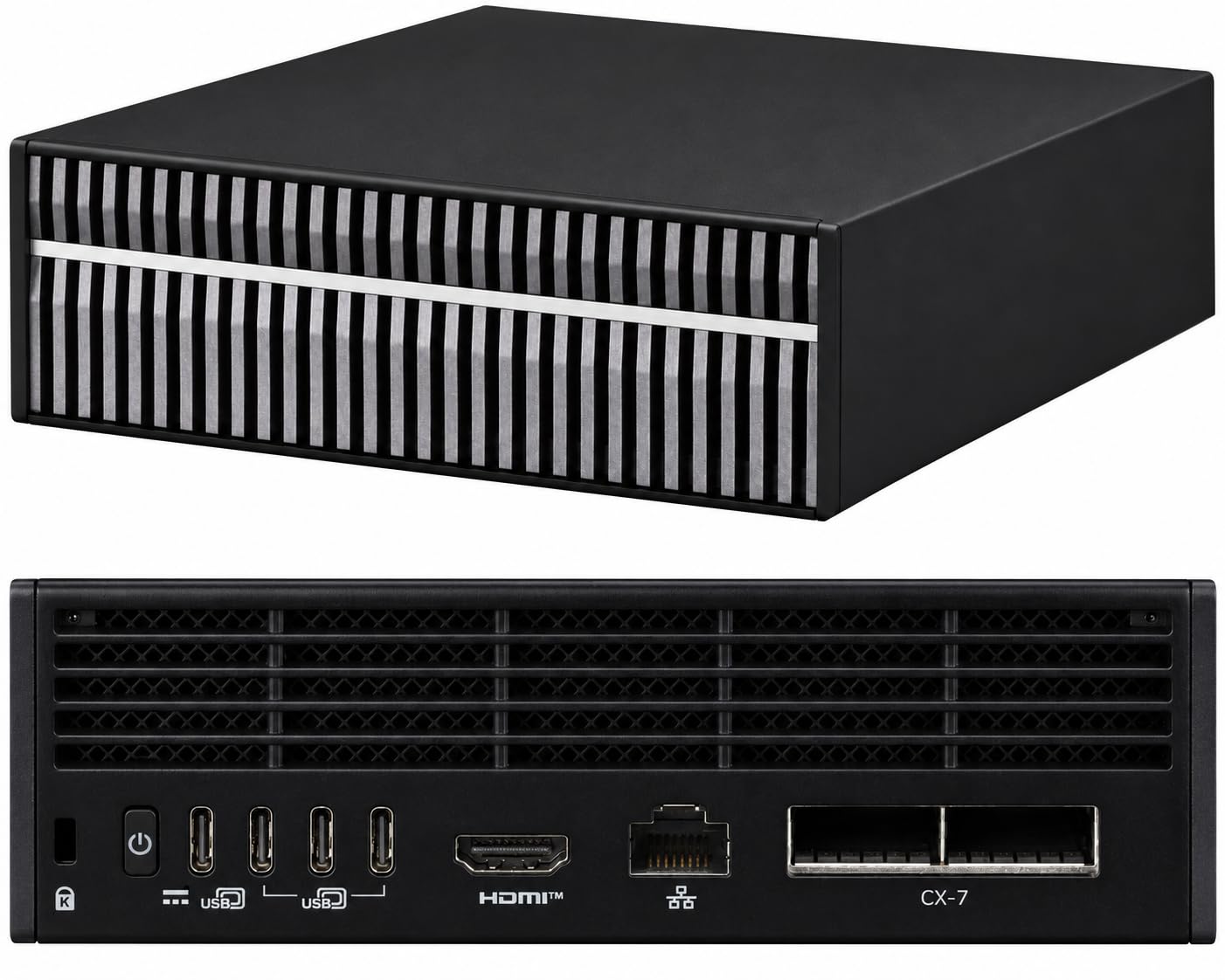
The small footprint also affects placement. A box this size can sit within cable reach of your keyboard, your router or switch, and your main machine. You don't need to move furniture or run power to a closet. The retailer listing doesn't give exact dimensions, weight or a full port count, so check the listing photos for the rear I/O layout before you plan cable runs, especially if you share one monitor between two machines.
Connectivity for a standard desk setup
The listing says only that display, network and peripheral connections support a normal desk setup. In practice, that covers the three things an inference box needs:
- A display output for initial setup and occasional local work on the Arm Linux desktop.
- Wired networking, which matters more than the display. Most owners will reach the model server over the LAN from another machine, through an OpenAI-compatible API endpoint, SSH or a browser-based chat front end.
- USB peripherals for a keyboard and mouse during setup, plus external drives for moving large model files. Even the 4TB internal option can fill up quickly once you keep several 70B-parameter checkpoints at different quantization levels.
Because the network link carries all the day-to-day traffic, use Ethernet rather than Wi-Fi if you plan to serve models to several machines. Wi-Fi makes little difference to chat responses, but it slows down copying tens of gigabytes of weights between machines.
What compactness actually means on your desk
The most useful way to think about the GN100 is as a dedicated inference node, not your main computer. It runs alongside an existing laptop or workstation and handles the work your daily machine can't. That means loading a 70B-class open-weight model, running a local knowledge assistant over your documents, or keeping a CUDA-based inference server available for prototyping. You keep editing code, browsing and running video calls on the machine you already use.
| Desk role | GN100 as an inference node | Discrete-GPU tower | Cloud GPU instance |
|---|---|---|---|
| Desk space | Mini-PC footprint beside the monitor | Full tower under or beside the desk | None |
| Large-model fit | 128GB unified memory pool | Limited by the card's VRAM | Depends on the instance you rent |
| Data location | Stays on-device | Stays on-device | Leaves your network |
| Best paired with | Your existing laptop or workstation | Used as the main PC | Any client machine |
| Weak spot | Not built for gaming or creative apps | Space, power draw, noise | Recurring cost, data residency |
The GN100 runs an Arm-based Linux environment built around NVIDIA's AI software stack. It is not a Windows gaming box or a video-editing rig, and many consumer creative apps won't run on it at all. If you want one machine that games, edits and runs LLMs, a discrete-GPU desktop is a better fit. The GN100 makes sense when local LLM inference is a dedicated job and you already own a machine for everything else.
The listing gives limited detail on the build itself. Materials, fan behaviour and thermal design aren't specified beyond the compact workstation form factor. Small chassis running GB10-class silicon under sustained inference load generally depend on active cooling, so expect audible fan noise during long generation or batch jobs. Placing the unit a short distance from your seat, on a shelf or at the far end of the desk, is a reasonable precaution.
Note that this is a CyberGeek-upgraded unit, not a stock Acer configuration. The enclosure is the standard compact GN100 chassis; what changes is the storage and, because of that upgrade, the warranty terms, covered in the value section below.
Local LLM performance
The GN100 is built to fit large models, not to run them fast. The 128GB of unified memory decides which models will load at all. The memory bandwidth of about 273 GB/s decides how quickly they produce tokens. Those two numbers pull in different directions.
Range across the products compared here
Model fit: where the GN100 leads
A 70B-parameter model at Q4_K_M quantization needs roughly 40–43GB for its weights. On a 128GB pool that leaves a lot of room for the KV cache, so you can use a large context window without dropping to a smaller quant or offloading layers to the CPU. Running a 24GB or 32GB discrete GPU with that same model means splitting it between VRAM and system RAM, and that split slows it down badly.
The extra memory also brings larger mixture-of-experts (MoE) open-weight models within reach. Some of these have total parameter counts well past 100B, which rules out a single consumer GPU. MoE models suit this hardware well. They need the full capacity to store every expert, but each token only reads the small set of active parameters, so generation speed suffers far less from limited bandwidth than it does on a dense model of the same total size.
Generation speed: where bandwidth caps it
Generating each token means streaming the model's active weights out of memory. A rough upper limit is bandwidth divided by model size: 273 GB/s ÷ ~40GB gives under 7 tok/s for a dense 70B model, before any overhead. Published community results line up with that math. Dense 70B models run at single-digit to low-teens tok/s, depending on the quant, context length and inference engine.
That speed is fine for batch jobs, agents and reading answers as they arrive, but it feels slow in live chat. A high-end discrete GPU is clearly faster on any model that fits inside its VRAM, because its memory bandwidth is several times higher. If most of your work uses 8B–32B models, the GN100's capacity sits mostly idle while a cheaper GPU finishes the same work sooner.
Smaller active parameter counts give faster tokens. A dense 70B model is usable but slow, and an MoE model with a few billion active parameters can run several times faster on the same memory. Pick models with that in mind and the GN100 becomes much more pleasant to use.
Prompt processing and time to first token
Prompt processing (prefill) is limited by compute, not bandwidth. That is where the Blackwell GPU and its CUDA support help. Reading in a long prompt, such as a 50-page contract, a codebase excerpt or a dozen retrieved chunks, happens in parallel and finishes much faster than on bandwidth-matched CPU or integrated-GPU platforms. The result is a shorter time to first token (TTFT) on long inputs.
This matters most for RAG and document search, where prompts are long and answers are short. In those workloads TTFT shapes the experience more than tok/s does. A system that begins answering a 30K-token query within seconds feels responsive even if the answer then arrives at 8 tok/s.
How it compares on memory and price
| Platform type | Memory for models | Generation speed on large models | Prefill / CUDA | Price position |
|---|---|---|---|---|
| GB10 (GN100) | 128GB unified | Moderate, limited by ~273 GB/s | Strong, native CUDA | This listing: $6,699.99, well above standard GB10 machines |
| Strix Halo (Ryzen AI Max) | Up to 128GB unified | Broadly similar class | Weaker prefill, no CUDA | Much cheaper |
| Apple silicon (high-memory) | Large unified pools | Faster tok/s thanks to higher bandwidth | Slower prefill, no CUDA | Varies by configuration |
| Discrete-GPU desktop | Capped by VRAM | Fastest when the model fits | Strong, CUDA | Cheaper for 8B–32B work |
The GN100 leads on CUDA compatibility and prefill speed at the 128GB capacity tier. No other platform in the table offers both. It trails on raw generation speed behind high-bandwidth Apple silicon and behind any discrete GPU with enough VRAM for the model. It also trails on price against Strix Halo boxes, which offer the same memory capacity for much less money. That price gap is the main reason to look closely at the value section below.
Software, setup and daily use
The GN100 is an Arm machine running Linux, not a Windows PC with a big GPU bolted on. The GB10 platform pairs a 20-core Arm CPU with a Blackwell GPU, and the software around it is NVIDIA's AI stack on an Ubuntu-based Linux with CUDA, drivers and container tooling built for that combination. Anyone who already works in a Linux terminal will recognize it. Anyone expecting a desktop app store full of AI tools will need to adjust.
The natural workloads are CUDA-based inference engines. llama.cpp builds with CUDA support and handles GGUF quantizations such as Q4_K_M. vLLM suits batched or multi-user serving with an OpenAI-compatible API. Ollama sits on top as the simplest way to pull and run open-weight models. These are the tools the platform was designed around, and they make use of the 128GB of unified memory without any VRAM partitioning to manage.
Expect setup work, not an appliance
The retailer listing is explicit: "illustrated applications require installation and configuration." The marketing images show chat assistants and document tools, but you install them yourself. A realistic first session involves updating the system, pulling containers or building llama.cpp, downloading model weights (a 70B model at Q4_K_M is a 40GB-plus download), and adjusting context window and GPU-offload settings. None of this is difficult for a developer. It is still an afternoon of work, not a power-button-and-go experience.
| Workload | Status out of the box | What's involved |
|---|---|---|
| CUDA toolkit, drivers, containers | Part of the platform stack | Keep it updated; little else |
| Ollama, llama.cpp | Requires installation and configuration, per the listing | Install or build; pick quantization and context size |
| vLLM serving | Needs configuration | Container setup, model config, memory limits |
| Document search / RAG over local files | Needs assembly | Embedding model, vector store, front end |
| Windows-only or x86-only binaries | Won't run natively | Look for an Arm64 Linux build or an alternative tool |
Your documents never leave the box
The practical payoff of that setup is fully on-device knowledge work. The listing pitches local knowledge assistants, document search and data-analysis workflows "against your project files." That means a retrieval pipeline (an embedding model, a vector database and a 70B-class model answering questions) running entirely on the GN100, with no cloud API involved. For contracts, source code, research data or anything under an NDA, this is the strongest argument for local inference. It is also where the 128GB pool helps, because the embedding model, the LLM and a long context window can all stay resident at once.
In daily use, most owners run the GN100 headless as an inference node. They SSH in from a laptop, expose an API endpoint on the local network, and point editors, chat front ends or scripts at it. Once configured, this setup asks little of you beyond model updates and the occasional container refresh.
Check every tool before you buy
The Arm-plus-Linux combination is the GN100's main compatibility risk. Windows-only applications won't run, and neither will Linux software published only for x86-64. That excludes some proprietary inference GUIs, certain commercial plugins, and a share of Python packages that ship prebuilt x86 wheels without Arm64 equivalents. These packages either fall back to slow source builds or fail outright. Gaming and general Windows desktop use are not on the table at all.
Pro tip
Before committing to this listing, list every tool in your workflow, including front ends, Python packages with compiled extensions, and any commercial software. Then search for "aarch64" or "Arm64 Linux" builds of each one. If a single critical tool is x86-only, either find a replacement now or consider an x86 alternative, such as a Strix Halo box or a discrete-GPU desktop, where that tool runs natively.
For CUDA developers, the platform is an advantage: code and containers prototyped here carry over to larger NVIDIA deployments with few changes. For buyers whose AI use runs through Windows apps, the same platform becomes a constraint they cannot configure their way around.
How it compares with the alternatives
| Product | Rating | Price | Buy |
|---|---|---|---|
 Apple Mac Studio (M3 Ultra) Up to 512GB of unified memory for very large local LLMs on one desk +512GB memory fits huge quantized models+80-core GPU speeds token generation -No CUDA: some AI tools unsupported | Buy → | ||
 Apple Mac mini (M4 Pro, 64GB) 64GB unified memory for 70B-class local models in a desk-sized box +64GB shared memory fits 70B-class quants+Small chassis runs quietly on a desk -No CUDA, so fewer fine-tuning tools | Buy → | ||
| Apple Mac Studio (M4 Max) Up to 128GB unified memory in a 7.7-inch box for large local models +128GB unified memory loads large models+7.7-inch square fits under monitors -No CUDA: some AI tools unsupported | $3,399.00 | Buy → | |
 GMKtec EVO-X2 (Ryzen AI Max+ 395, 128GB) 128GB unified memory to run 70B-class models locally +128GB shared memory: fits 70B models+120W mode for long inference runs -Soldered memory: cannot upgrade beyond 128GB | $3,499.99 | Buy → | |
 Minisforum MS-S1 Max Best Value Ryzen AI Max+ 395 mini PC with dual 10GbE and a PCIe x16 slot for LLM clusters +64GB shared memory sidesteps VRAM limits+Dual 10GbE for multi-unit clustering -235B Q4 needs two units | $2,599.00 | Buy → | |
 NVIDIA DGX Spark 128GB unified memory and a 4TB SSD for running large open-weight LLMs on your desk +128GB memory: larger models fit+4TB SSD stores many models -Upgrade voids NVIDIA's original warranty | $8,699.99 | Buy → |
Prices as of Nov 16, 2026; they may have changed since.
Pros
- 128GB shared memory fits larger models
- 20 cores handle data-prep workloads
- Up to 4TB SSD for models
- Compact box frees desk space
- Lifetime seller tech support included
Cons
- Upgrade voids Acer's original warranty
- Apps need manual install and setup
- Slower per token than discrete GPUs
Who should buy it
The GN100 makes sense when model size, not generation speed, is the constraint. Because the 20-core CPU and the Blackwell GPU share the memory pool, a 70B-class model stays loaded alongside your tooling instead of being split across VRAM and system RAM. It also runs the CUDA stack that most inference tooling targets first. If both of those matter to you, it fits. If only one does, there is usually a cheaper option.
The buyers it suits
Developers prototyping CUDA-based inference benefit most. Code, containers and quantization pipelines built here run on NVIDIA's software stack, so moving to a larger CUDA deployment involves fewer surprises than starting on Strix Halo or Apple silicon. The Arm compatibility check described above still applies to every non-CUDA dependency.
Researchers who need 70B-class models running locally for data privacy are the second strong fit. Examples include clinical notes, legal discovery, unpublished data and anything covered by a data-processing agreement that rules out cloud APIs. The model, its context and the data all stay on the box. Dense 70B output is usable rather than fast, which suits batch summarisation, annotation and analysis jobs, where accuracy and confidentiality matter more than tok/s.
Teams building RAG over internal documents also fit well. This is the "local knowledge assistant" use the listing describes. Retrieval-augmented generation front-loads work into prompt processing (prefill), because every query stuffs retrieved passages into the prompt. Blackwell's prefill compute keeps time to first token reasonable even with long retrieved contexts. CyberGeek configurations offer up to 4TB of SSD storage, enough for the document corpus, vector index, embeddings and several model variants side by side. Installed capacity depends on the configuration you select.
Who should skip it
Buyers who mainly want fast chat on 8B–32B models should look elsewhere. Those models fit comfortably in the VRAM of a single high-end discrete GPU, and a GPU's memory bandwidth is several times higher than the GB10's. A conventional desktop will produce noticeably more tok/s on these sizes and costs well under $6,699.99. The GN100's 128GB only pays off once a model outgrows that VRAM.
Mac-centric users gain little here. If your workflow already lives in macOS with MLX or llama.cpp's Metal backend, an Apple silicon Mac with high unified-memory bandwidth will generate tokens faster on large models. It also avoids learning a headless Arm Linux box. The GN100's real advantage is CUDA, and that advantage is worth nothing if you never deploy to NVIDIA hardware.
Anyone who needs Acer's own warranty should not buy this listing. The retailer states that the original manufacturer's warranty is void because of the hardware upgrade, and coverage comes from the seller instead, alongside lifetime seller tech support. Some buyers can't accept that, including procurement departments that require OEM coverage, institutions with vendor-approval lists, and anyone who wants Acer-backed repair. Those buyers should look at a stock GN100 or another stock GB10 machine.
Good for
- Developers prototyping CUDA inference pipelines who want desk-side parity with NVIDIA deployment targets
- Researchers running 70B-class open-weight models on confidential data that can't touch a cloud API
- Teams building RAG and document search over internal files, where prefill speed and 4TB of local storage both pay off
- Buyers who specifically value large built-in storage and ongoing seller support over OEM coverage
Not for
- Users who mainly chat with 8B–32B models: a discrete-GPU desktop is cheaper and generates faster
- Mac-centric users already productive on Apple silicon with MLX or Metal-based tools
- Organisations whose procurement or IT policy requires Acer's manufacturer warranty
- Anyone who wants the GB10 platform but doesn't need 4TB: a stock configuration costs far less
A quick self-check before you buy
Ask three questions. Does your target model exceed 24–32GB at your chosen quantization? Do you need CUDA specifically, not just "a GPU"? Can you accept seller rather than Acer coverage? If you answer yes to all three, this listing is a defensible purchase. If any answer is no, the alternatives in the comparison section will likely serve you better for less money.
Verdict
The Acer Veriton GN100 does what most compact machines can't: it keeps a 70B-parameter open-weight model resident with room for a long context window, and runs it on NVIDIA's CUDA stack rather than a translation layer. For anyone whose work depends on large-model inference on a desk instead of a cloud bill, that pairing of capacity and native CUDA tooling outweighs its modest generation speed.
The hardware is not what holds the GN100 back. This specific CyberGeek listing is the problem: $6,699.99 for a GB10 machine whose main upgrade is storage, with Acer's manufacturer warranty voided by that upgrade and replaced by the seller's own coverage.
A capable compact node for running large open-weight models locally, with CUDA compatibility that Strix Halo and Apple silicon can't match. This upgraded listing only makes sense if 4TB of storage and seller support outweigh a large price gap and the loss of Acer's warranty.
Recommended for the platform
The case for GB10 hardware rests on capacity and compatibility. Because the CPU and GPU share one memory pool, there is no fixed VRAM limit that forces you to split a 70B model or drop to a weaker quantization. CUDA support means inference servers, fine-tuning scripts and evaluation harnesses written for NVIDIA data-center GPUs should run here with minimal porting, which is the main reason a developer would choose this over a cheaper Strix Halo box.
Speed is the trade-off. As the performance section showed, dense 70B generation lands in the single-digit to low-teens tok/s range: fine for batch jobs, document Q&A and agent prototyping, too slow for snappy chat. Prefill is where the Blackwell GPU compensates, so long retrieved documents still reach their first token quickly.
The listing is a separate decision
| Factor | This CyberGeek configuration | Stock GB10 machine |
|---|---|---|
| Memory and compute | 128GB unified, GB10 | Same platform class |
| Storage | Up to 4TB SSD | Smaller standard capacity |
| Warranty | Manufacturer warranty void; seller warranty plus lifetime seller tech support | Original manufacturer coverage |
| Price | $6,699.99 | Substantially lower |
The table shows the core issue: you pay a large premium for storage and a different support arrangement, and you get no extra inference capability. Since a quantized 70B checkpoint is around 40GB, a modest internal drive already holds several, and an external NVMe enclosure for datasets costs a small fraction of the price gap.
The warranty swap deserves careful thought. The listing promises a multi-decade seller warranty and lifetime seller tech support from the date of purchase, which can suit a buyer who wants one point of contact. The trade-off is that your coverage then depends on a single reseller rather than on Acer's service network.
Who should buy which
Buy the GN100 platform if you prototype CUDA-based inference, need 70B-class models running entirely on your own hardware, or build local document-search tools over files that can't leave the building.
Buy this specific listing only if you want up to 4TB installed before delivery and value the seller's support package more than the price difference and Acer's warranty. Everyone else should compare against stock GB10 configurations first and add storage later. If fast chat on 8B–32B models is the actual goal, a discrete-GPU desktop delivers more tok/s for less money.