Apple Mac mini (M4, 16GB) review: a five-inch desktop with a hard memory ceiling
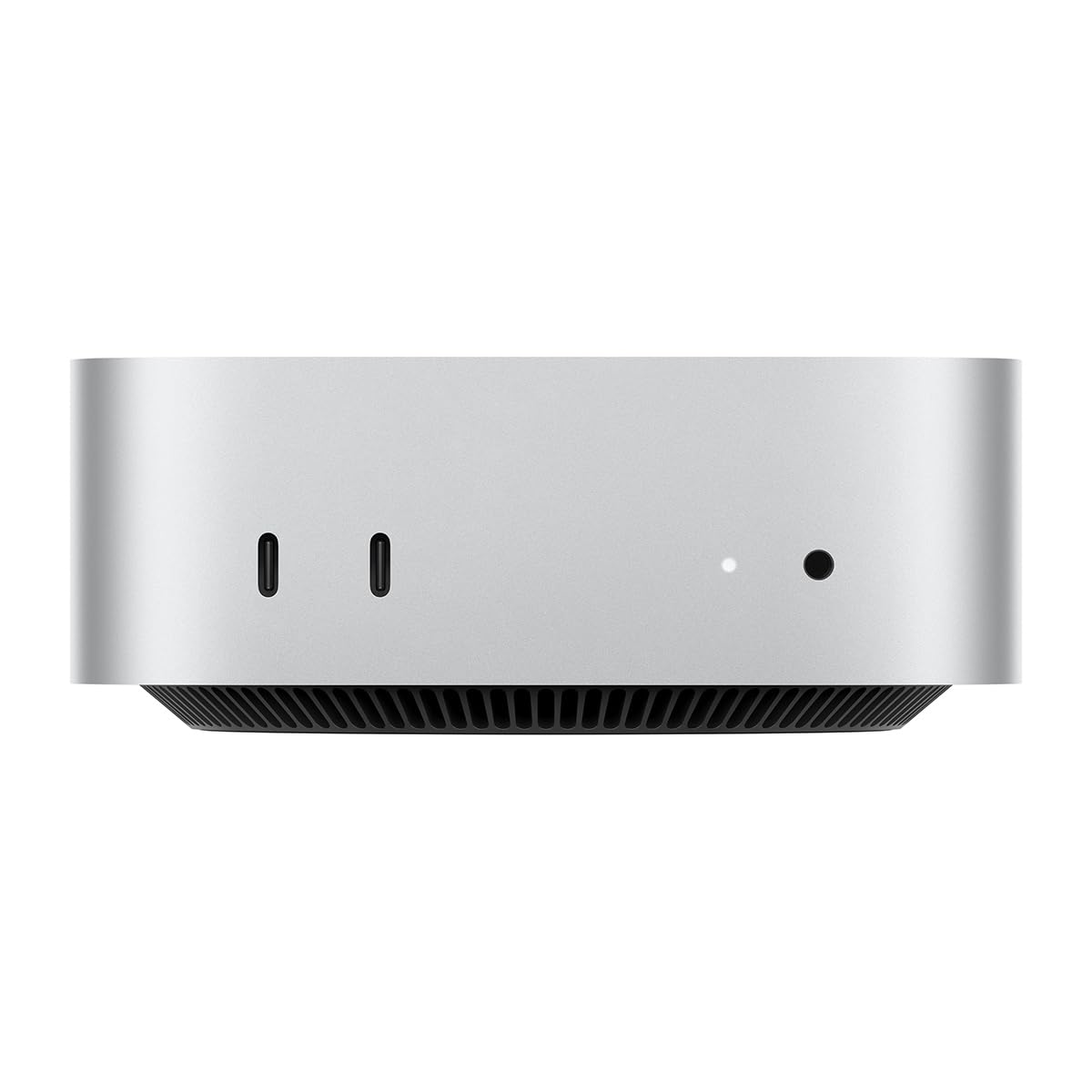

A 5x5-inch M4 box with 16GB unified memory for small local models
- Chip
- M4
- Unified Memory
- 16 GB
- Memory Bandwidth
- 120 GB/s
- Tokens/sec (70B)
- 0 tok/s
- 16GB unified memory runs small models
- 5x5-inch footprint fits beside monitors
- 16GB rules out larger models
The 16GB of unified memory in this Mac mini is shared by the CPU and GPU and soldered to the board. That makes it the first spec to plan around before you look at the M4 chip, the ports or the five-by-five-inch footprint.
Pros
- 16GB unified memory runs small models
- 5x5-inch footprint fits beside monitors
- Thunderbolt: fast external model storage
- Front USB-C: quick drive swaps
- Gigabit Ethernet: steady large model downloads
Cons
- 16GB rules out larger models
- Memory can't be upgraded later
- Configs with more memory cost more
Design and build quality
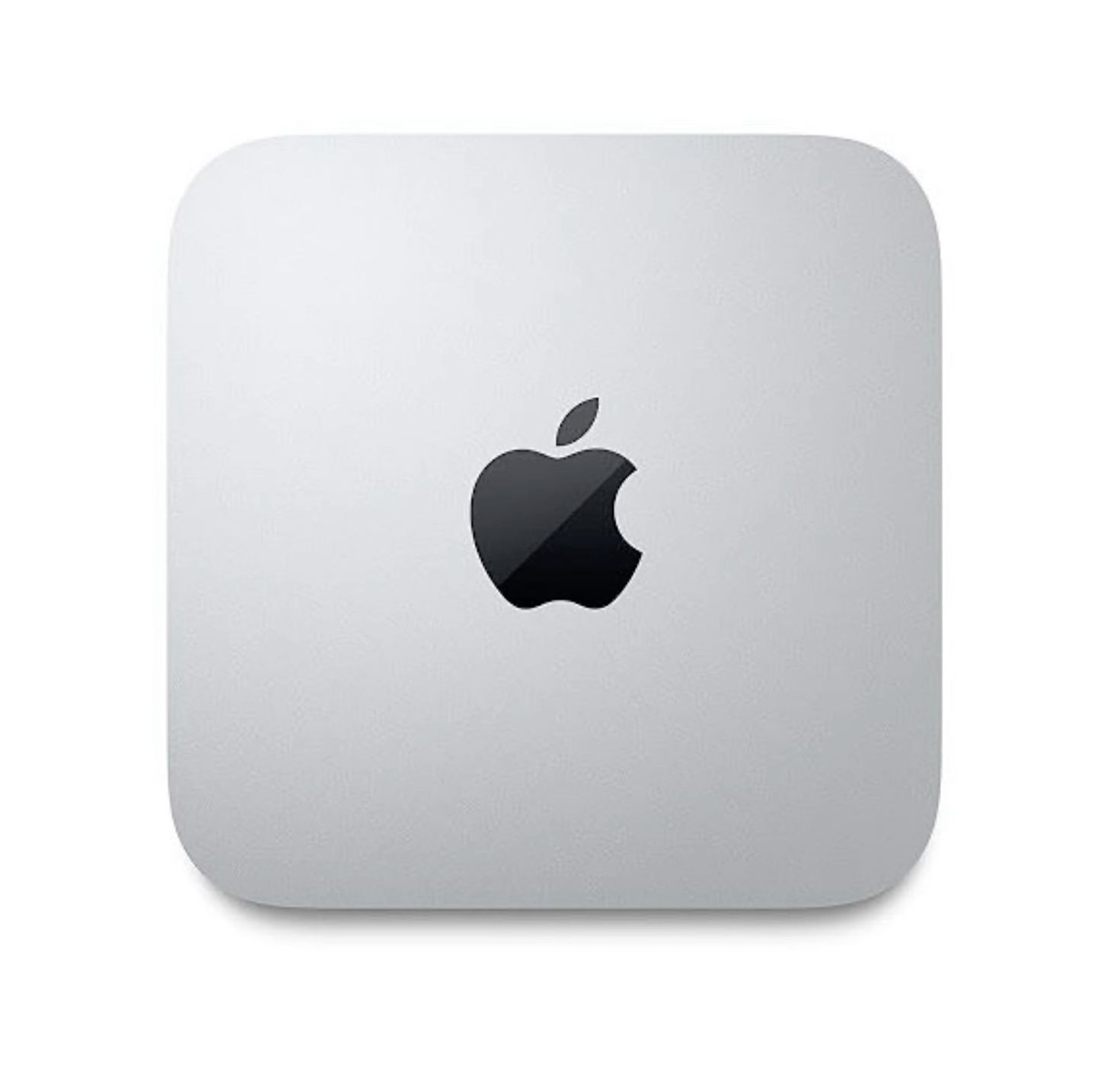
The redesign shrinks the Mac mini's footprint to five by five inches. That is small enough to sit beside a monitor stand, slot between a laptop dock and a speaker, or go under the rear lip of a display. It is a compact desktop with no tower, no mid-desk box, and nothing that takes over a shelf.
A footprint that changes where it goes
On most desks the computer sits wherever the cables let it, often on the floor or behind the monitor. A 5 × 5-inch base reverses that. The Mac mini can sit in plain view next to the screen, where its front ports are easy to reach.
This also suits secondary roles. A machine this size fits on a bookshelf next to a router, sits behind a TV for media duty, or runs on a small desk as an always-on box for a local LLM endpoint. The shell and the internals are fixed and cannot be upgraded, so it is small enough to put anywhere but not built to be opened. The memory implications are covered later in this review.
Plan where your USB-C devices will sit before you choose a spot. The front ports work best when the Mac mini is beside the monitor; tucked fully under a display, they become hard to reach, which cancels out the main benefit of the redesign.
Front ports: the end of the reach-around
For the first time on a Mac mini, there are front-facing USB-C ports and a headphone jack. On earlier Mac mini models, every flash drive, SD reader or wired headset meant turning the machine around or reaching blindly behind it. Many owners solved that with a front-mounted hub.
Now the devices you connect and disconnect often go in the front, and the permanent connections stay at the back:
| Where | Ports | Best used for |
|---|---|---|
| Front | USB-C, headphone jack | Flash drives, card readers, phone charging cables, wired headsets |
| Rear | Thunderbolt, HDMI, Gigabit Ethernet | Displays, fast external storage, wired network, docks if ever needed |
The headphone jack matters more than it might seem. Video calls, music production and simply plugging in earbuds no longer need a USB audio adapter or a Bluetooth pairing.
Rear panel: no dock required for a typical setup
The back carries Thunderbolt, HDMI and Gigabit Ethernet. That covers what a typical home-office or developer desk needs without a dock:
- A monitor over HDMI or Thunderbolt
- Fast external SSD storage over Thunderbolt
- A wired network connection over Gigabit Ethernet, without a USB-to-Ethernet adapter
Most compact Windows mini PCs offer a similar mix. Apple's MacBook Air, by contrast, routes everything through USB-C, so it usually ends up on a dock. For anyone moving from a laptop setup, the Mac mini removes a dongle, a cable and a point of failure from the desk.
Built-in Gigabit Ethernet is the most practical rear port for local LLM use. It lets the machine sit headless on a network and serve models to other devices. A wired link also avoids the Wi-Fi drops that interrupt long downloads of multi-gigabyte model weights.
Real-world performance and local LLMs
For everyday work, the M4 is more chip than most buyers will use. Office suites, dozens of browser tabs, photo editing and light 4K video editing are well within what the M4 is designed to handle, so the chip is rarely the bottleneck for that kind of work. The bigger story in Apple's pitch is Apple Intelligence: writing tools, summaries and image features that run on-device, so routine requests don't leave the machine. Those features need Apple silicon and enough unified memory to hold their models, and the 16GB base configuration clears that bar comfortably.
Local LLMs are a different workload. Daily apps are mostly limited by CPU and GPU speed. Generation speed in a local LLM is limited by memory bandwidth, because every output token requires reading the model's full set of weights from memory.
Range across the products compared here
Why bandwidth sets the pace
Apple quotes 120 GB/s of memory bandwidth for the base M4. That is less than half the 273 GB/s of the M4 Pro, and the M4 Max is higher still. Here is a rough ceiling for any model: divide bandwidth by the model's size in memory. An 8B model at Q4_K_M quantization takes up roughly 5GB, which puts the theoretical limit in the low-20s tokens per second. Real-world results land below that, because of overheads and because the chip can't use its full bandwidth all the time.
In practice, generation on the base M4 is usable rather than fast:
- 7B–8B models at 4-bit stream text faster than most people read. Chat and coding help feel responsive.
- 13B–14B models roughly halve the rate. Replies arrive at a steady, readable pace, and you'll notice the wait on longer answers.
The next section covers which models actually fit in 16GB.
The chart above shows where the M4 sits among the machines we cover. It is near the light end on bandwidth, well behind Pro- and Max-class Macs and Strix Halo mini PCs. Those machines buy faster generation with a much higher price. The M4 is still well ahead of budget mini PCs running on ordinary dual-channel system RAM.
Local LLM performance has two parts. Prompt processing (prefill) is how fast the model reads your input. Tokens per second is how fast it writes the answer. Bandwidth mostly governs the second. The first depends more on GPU compute, which is also where the base M4 trails bigger chips.
Long prompts are where you'll feel it
Short chats hide the M4's limits. Long inputs expose them. Prefill work grows with prompt length, so time to first token (TTFT) goes from near-instant on a one-line question to a noticeable pause on a pasted report. The pause gets longer again when you feed in a long PDF, a codebase or a meeting transcript and push toward a wide context window. Long contexts also slow generation once it starts, because the model has to consult a growing key-value cache for every new token.
| Task | What dominates | How the base M4 feels |
|---|---|---|
| Short chat, quick questions | Generation (bandwidth) | Responsive with 7B–8B models |
| Code completion in an editor | Short prefill + generation | Fine for small models |
| Summarising a long document | Prefill (compute) | Noticeable wait before output starts |
| Retrieval over large files, wide context | Prefill + context memory | Slow, and limited by 16GB |
That pattern should shape your buying decision. If your local LLM use is conversational: drafting, Q&A, small coding assistants, the base M4 handles it at a pace most people will accept. If you mainly want to analyse long documents or work with large context windows, you'll spend more time waiting than reading. In that case, the extra bandwidth and compute of an M4 Pro or a Strix Halo machine solves a real problem for you, not a benchmark one.
What 16GB of unified memory can actually run
On a Mac, unified memory is one pool shared by macOS, your apps and the GPU. A local LLM therefore competes with Safari, Mail and everything else for the same 16GB. By default, macOS also lets the GPU claim only part of that pool, roughly two-thirds on a 16GB machine. In practice you have about 10–11GB for model weights plus the context window, not the full 16GB on the box.
The number that matters is the size of the weights after quantization. At full 16-bit precision, an 8B model needs about 16GB just for its weights, so it won't fit. A 4-bit quant such as Q4_K_M shrinks it to roughly a third of that, with a modest quality loss that most chat, summarising and coding-assist tasks tolerate well. That is why 4-bit is the default format in most local LLM tools on Apple silicon.
| Model size (parameters) | Approx. weights at Q4_K_M | Fit on a 16GB Mac mini |
|---|---|---|
| 3B–4B | ~2–2.5GB | Easy, with room for long context and multitasking |
| 7B–8B | ~4.5–5GB | Comfortable sweet spot, with macOS and a browser still running |
| 13B–14B | ~8–9GB | Loads, but little headroom for context or other apps |
| 30B–32B | ~18–20GB | Does not fit |
| 70B | ~40GB+ | Does not fit |
7B–8B open-weight models are where this machine is at home. At Q4_K_M they leave several gigabytes of the GPU's allocation for the KV cache, so you can use a usable context of several thousand tokens while macOS, a browser with a dozen tabs and an editor stay responsive. This is the class most people start with for drafting, Q&A over documents and code completion. It also produces the most comfortable tokens per second on the base M4's memory bandwidth.
13B–14B models are possible but tight. At about 8–9GB of weights you are already near the GPU's default allocation. The KV cache grows with every token in the context window, so long prompts or pasted documents push the system into memory pressure and swap. Generation then slows sharply, or the tool refuses to load the model. To make these models workable you have to trade something:
- Keep the context short, a few thousand tokens rather than tens of thousands.
- Drop to a smaller quant (Q3 or lower), accepting noticeably weaker output.
- Close other apps while the model runs.
30B-plus models are simply out of reach. Even aggressive 3-bit quants of a 32B model exceed what the GPU can address here. Splitting a model across memory you don't have isn't an option, because there is no separate graphics card to offload layers to.
Pro tip
Before you download anything, check the file size of the quant you plan to run. Add about 1–2GB for a moderate context window, then compare the total with roughly 10GB. If the sum gets close, choose the next-smaller model or quant. Loading a model that barely fits usually causes memory pressure and swap, not a clean error.
Buy the memory now, because you can't add it later
The M4's memory sits in the same package as the chip. There is no RAM slot and no upgrade path. Whatever configuration you buy is the ceiling for the life of the machine. A PC with a discrete GPU can take a bigger graphics card later, but a 16GB Mac mini will always be a 7B–8B machine with a 14B stretch.
So the decision belongs at checkout. If you only want to try local LLMs alongside normal office work, 16GB covers that well. If you already expect to want 14B models with long context, or anything in the 30B class, choose a higher-memory configuration now. Paying for it upfront costs far less than replacing the whole computer in two years because one spec on the order page was too small.
| Chip | M4 |
|---|---|
| Unified Memory | 16 GB |
| Memory Bandwidth | 120 GB/s |
| Tokens/sec (70B) | 0 tok/s |
How it compares with alternatives
| Product | Rating | Price | Buy |
|---|---|---|---|
 Apple Mac Studio (M3 Ultra) Up to 512GB of unified memory for very large local LLMs on one desk +512GB memory fits huge quantized models+80-core GPU speeds token generation -No CUDA: some AI tools unsupported | Buy → | ||
 Apple Mac mini (M4 Pro, 64GB) 64GB unified memory for 70B-class local models in a desk-sized box +64GB shared memory fits 70B-class quants+Small chassis runs quietly on a desk -No CUDA, so fewer fine-tuning tools | Buy → | ||
| Apple Mac Studio (M4 Max) Up to 128GB unified memory in a 7.7-inch box for large local models +128GB unified memory loads large models+7.7-inch square fits under monitors -No CUDA: some AI tools unsupported | $3,399.00 | Buy → | |
 GMKtec EVO-X2 (Ryzen AI Max+ 395, 128GB) 128GB unified memory to run 70B-class models locally +128GB shared memory: fits 70B models+120W mode for long inference runs -Soldered memory: cannot upgrade beyond 128GB | $3,499.99 | Buy → | |
 Minisforum MS-S1 Max Best Value Ryzen AI Max+ 395 mini PC with dual 10GbE and a PCIe x16 slot for LLM clusters +64GB shared memory sidesteps VRAM limits+Dual 10GbE for multi-unit clustering -235B Q4 needs two units | $2,599.00 | Buy → | |
 NVIDIA DGX Spark 128GB unified memory and a 4TB SSD for running large open-weight LLMs on your desk +128GB memory: larger models fit+4TB SSD stores many models -Upgrade voids NVIDIA's original warranty | $8,699.99 | Buy → |
Prices as of Nov 16, 2026; they may have changed since.
Value for money and who should buy it
The base M4 Mac mini's value comes from what you don't pay for: no bundled display or peripherals, and a configuration sized for everyday computing. If you already own a monitor, keyboard and mouse, the entry model is a low-cost way to get a well-built Apple silicon desktop. That value only holds if your workload stays inside 16GB of unified memory for the life of the machine.
The readers it suits
Mac-curious Windows users are the clearest fit. The mini plugs into the screen and USB peripherals you already have, so switching to macOS costs the price of the box and some relearning, not a whole new desk. If macOS doesn't work out, the mini's resale value and small footprint make it easy to repurpose as a media or file server.
Home-office workers get a compact desktop with front-facing USB-C and a headphone jack for daily plugging and unplugging, plus wired Ethernet for reliable video calls. Typical productivity workloads sit comfortably inside 16GB.
Developers and tinkerers who want to try 8B local LLMs get a cheap, low-friction sandbox. A 4-bit 7B–8B model leaves room for macOS, an editor and a browser while you experiment with local inference, prompt design or a small coding assistant. For learning how tokens per second, time to first token and quantization trade-offs behave in practice, 16GB is enough.
Who should step up or look elsewhere
Skip the base model if you plan to run 30B-plus parameter models. Even at 4-bit, a 32B model's weights exceed the entire 16GB pool, let alone the portion the GPU can use, and 70B-class models need more than double that.
Long context windows are the second limit. The KV cache grows with every token in the context, so a model that loads fine with a short prompt can run out of memory once you add a 32K-token document or a large codebase. If retrieval over long files is your main use, plan for more memory.
Don't buy it expecting local inference to replace a cloud subscription. The 8B-class models that run well here are useful for drafting, summarising and private experiments. They are not a substitute for the large hosted models people pay for monthly.
Memory upgrades are priced steeply
Higher-memory configurations raise the price quickly. Each step up in unified memory costs noticeably more, and the M4 Pro models needed for the largest pools cost more again. Past a certain point you are paying high-end Mac or Strix Halo mini PC money. The base model is the best value only if your workloads truly fit in 16GB. If they might not, the upgrade has to be bought on day one, because the memory is soldered and can't be added later.
Matching the configuration to the workload
| Your realistic workload over the next 2–3 years | Base 16GB | Consider more unified memory |
|---|---|---|
| Office, browsing, photo and light video editing | Comfortable | Not needed |
| 7B–8B models at 4-bit, short-to-moderate prompts | Comfortable | Optional |
| 13B–14B models at 4-bit, or several apps alongside a model | Tight | Recommended |
| 30B-plus models, or long context windows | Not workable | Required, or look at alternatives |
| Replacing a paid cloud LLM subscription | Not realistic | Only at the highest memory tiers |
Good for
- Windows users who want to try macOS with the monitor, keyboard and mouse they already own
- Home-office workers who want a quiet, five-by-five-inch desktop for productivity, calls and photo editing
- Developers trying 8B open-weight models locally at 4-bit quantization for prototyping and learning
- Buyers who want an always-on, Ethernet-connected small server for light duties
Not for
- Anyone planning to run 30B-plus parameter models
- Workflows built on long context windows, such as large documents or whole codebases
- Buyers hoping local inference will replace a cloud LLM subscription
- People unsure about future needs who would rather pay once for more memory than live with a fixed 16GB
To decide, picture the largest model you expect to run in 2027 and check it against the table. If it is an 8B model, the base mini is very good value. If it is anything bigger, budget for more memory now or look at the alternatives.
Verdict
The base M4 Mac mini is a compact, well-connected desktop and a sensible low-cost first machine for running local LLMs, as long as 16GB of unified memory covers the largest models you plan to run.
Most of what makes this machine a good buy comes from the parts Apple didn't skimp on: a chassis small enough for a shelf, front ports that end the reach-around, and a rear panel that runs a full desk or an always-on home server without a dock. For everyday work, the M4 has headroom to spare.
For local LLMs, the appeal is low friction at a low entry price. Apple silicon support in the common inference tools means no driver setup and no separate GPU to buy or cool. With 4-bit quantization (Q4_K_M and similar), 7B–8B parameter open-weight models run comfortably alongside your other apps. That is enough to learn prompt workflows, try retrieval over your own documents, or run a private coding assistant without sending data to the cloud.
The one limitation to accept before buying
16GB is permanent
As covered above, the 16GB you buy today is the 16GB you will have for the life of the machine. For local LLMs, this is the deal-breaker to weigh, because memory capacity decides which models fit at all. Speed only matters once a model fits.
The ceiling is tighter than "16GB" suggests. macOS, your browser and any other open apps take their share of the same pool before a model loads. The model's context cache also grows as the context window gets longer. In practice:
- 13B–14B models at 4-bit will load, but they leave little room for long prompts or other work at the same time.
- 30B-plus models are off the table in this configuration.
If those larger models are already on your roadmap, buying the base unit means buying twice: once now, and again when you hit the wall. Make the call with a two- to three-year horizon:
- If the largest model you expect to run is in the 7B–8B class, and the Mac mini is mainly your everyday desktop, the base configuration is the value pick.
- If you expect to move to 30B-class models, long-context work or several models loaded at once, put the money toward more memory from the start. That means a higher-memory Mac configuration or a large-memory Strix Halo mini PC, accepting the higher price that comes with it.
Bottom line: buy the 16GB M4 Mac mini for what it is — an excellent small desktop that doubles as a capable entry point to local LLMs. Don't buy it expecting the memory to grow with your ambitions, because it can't.